James Amoo, Community Partner
Dec 18, 2025

Data transformation is a critical stage in the analysis journey, one that should never be overlooked if you want to generate accurate insights from your data. Research shows that 25–30% of business decisions are negatively impacted by poor data quality, highlighting how important clean data is to informed decision-making.
Raw data typically arrives with inconsistencies such as mismatched field names, schema conflicts, and irregular formats. While these issues may be manageable when data volumes are small, they become complex and time-consuming as your data grows. This is where data transformation tools come in. These tools help businesses efficiently process large datasets by cleaning, restructuring, validating, and reshaping the data into a form that is reliable and ready for analysis.
In this blog post, we’ll explore the best data transformation tools and help you choose the right one for your project.
What is data transformation?
Data transformation is the process of converting raw data into a structured format that is suitable for analysis. It typically involves steps such as cleaning, filtering, mapping, and loading (ETL). The purpose of data transformation is to ensure that your data is accurate and well-organized.
Now that we know what data transformation is, let’s explore the top data transformation tools that make this process fast and efficient.
1. Quadratic
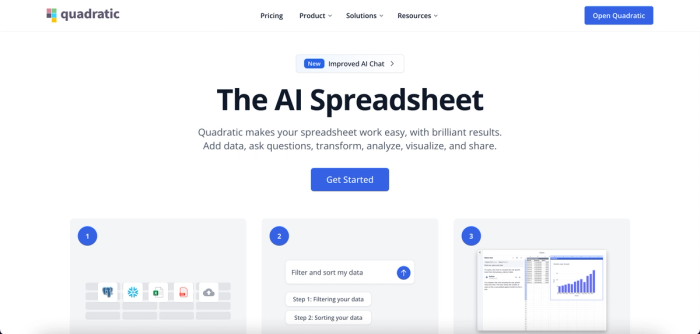
Quadratic is an online data transformation tool designed to convert raw data into analysis-ready formats with ease. While it functions as a no-code tool, it also gives data analysts the flexibility to write Python code for more personalised transformations. This makes Quadratic an ideal solution for non-technical users, technical users, and citizen developers.
Quadratic connects directly to multiple data sources, allowing you to access your data and begin transforming it immediately. Unlike other tools for data transformation, Quadratic supports analysis and visualization, eliminating the need to switch between tools. Once your data is transformed, you can explore, analyze, and visualize it all within the same environment. This makes it one of the best tools used for data transformation.
Let’s explore other features of Quadratic:
Features of Quadratic
- AI-powered data cleaning: A significant portion of data transformation happens during the data cleaning stage, where inconsistencies and errors are identified and corrected. Quadratic simplifies this process by allowing you to clean your data using simple text prompts. Let’s see how this works with a sample dirty dataset:
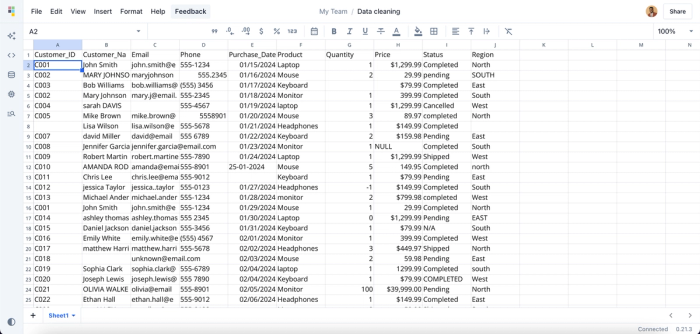
This dataset contains several inconsistencies, including missing values, duplicate IDs, and invalid email formats. Analyzing data in this state can lead to inaccurate insights and poor business decisions. With Quadratic, you can easily resolve these issues by simply using text prompts to clean and standardize the dataset. Let’s see how this works:
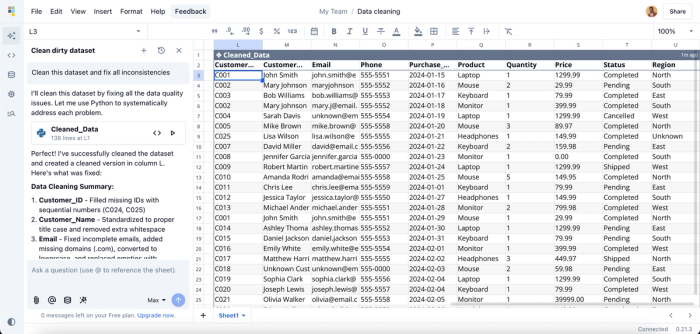
In the image above, we prompted Quadratic AI to “Clean this dataset and fix all inconsistencies”, and it instantly provided a separate table with corrections to several inconsistencies, including missing IDs, invalid emails, inconsistent capitalization, and wrong date formats.
- Data formatting: Quadratic provides a wide range of formatting options, allowing you to format numbers, text, dates, times, and even colors. This ensures data (such as currency and region) is consistently structured and follows a standardized format throughout.
- Data integration: Quadratic lets you work with multiple data sources in one unified interface. Its built-in SQL support enables direct database connections, removing the need for complex ETL workflows. With Python integration, you can perform advanced data transformations using libraries like Pandas and NumPy. Quadratic also supports JavaScript, allowing real-time integration with web APIs and external services.
- Data analysis: As an AI tool for data analysis, Quadratic allows you to generate insights from your data using simple text prompts. Let’s see how it works:
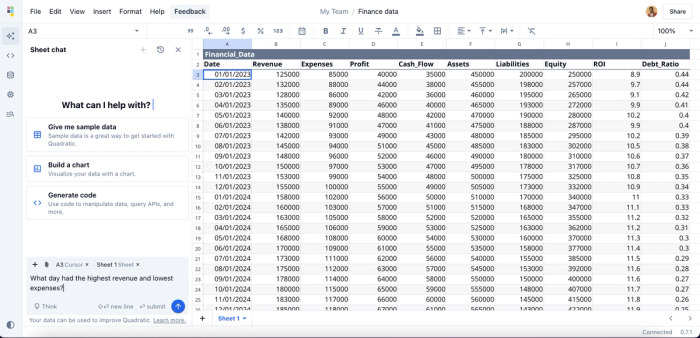
We can get insights into the day with the highest revenue and lowest expenses. Here’s the result:
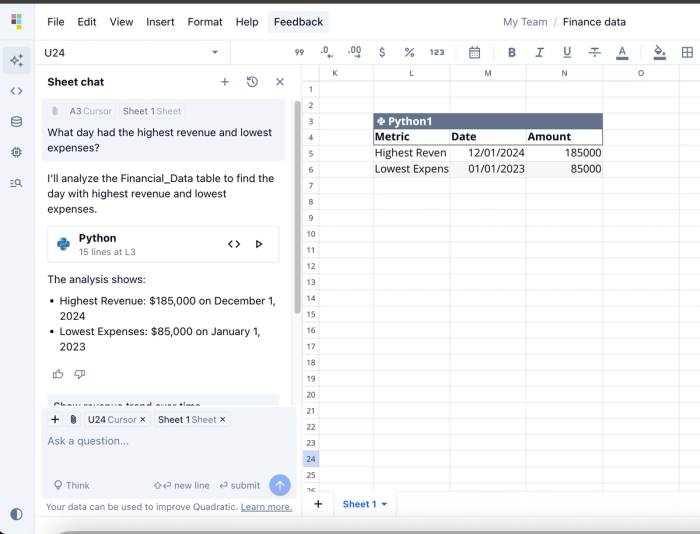
Quadratic instantly creates a separate table that gives insights into the highest revenue and lowest expenses, just as we specified in our text prompt. Quadratic also functions as a coding spreadsheet, providing an IDE for data analysis where users can write and execute code in Python, SQL, or JavaScript.
- Data visualization: After your analysis, Quadratic allows you to turn your insights into interactive visuals. Simply describe how you want your data presented, and Quadratic intelligently selects the most suitable chart type from a variety of options.
- Collaboration: Quadratic provides a fully collaborative environment where you and your teammates can analyze data, share insights, and work together in real time.
2. IBM DataStage
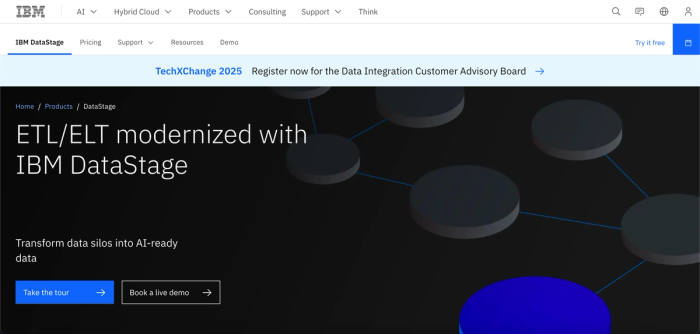
IBM DataStage is a data transformation and integration tool used to move and transform data across systems. It enables you to pull data from multiple sources, transform it, and load it into target systems like data warehouses and data lakes. It provides a graphical framework that allows users to easily develop jobs.
While IBM DataStage offers an enterprise-grade platform for real-time data transformation, beginners may face challenges in accessing its advanced features due to its steep learning curve. It is also perceived as an overkill for small teams.
Features of IBM DataStage
- Data and AI services: IBM DataStage offers a variety of data and AI services that help you manage your data efficiently. They include data virtualization, event messaging, and data warehousing.
- Multiple data sources: It seamlessly connects to multiple data sources, including relational databases (Oracle, SQL Server, DB2) and cloud platforms (Azure, AWS, IBM Cloud).
- ETL and ELT support: IBM DataStage supports both ETL and ELT patterns, providing flexibility in how data is extracted from multiple sources, transformed using rules, and loaded into target systems.
3. Alteryx
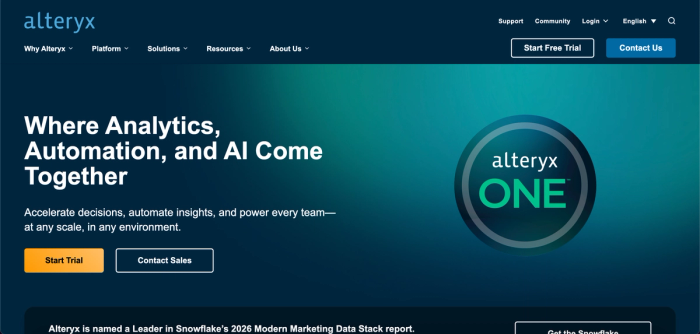
Alteryx is a no-code data transformation and analytics platform that enables users to efficiently manage their data within a single environment. It supports a wide range of tasks, including data preparation, analysis, and reporting. With its intuitive drag-and-drop interface, users can easily build, analyze, and automate workflows without writing a single line of code.
Features of Alteryx
- Drag-and-drop interface: Alteryx provides a drag-and-drop interface that allows users to build analytic processes by dragging tools onto a canvas and connecting them. This makes it usable by users of varying skill sets.
- Data preparation: Alteryx offers tools for a variety of data preparation processes, such as removing duplicates, handling missing values, and standardizing formats.
- Advanced analytics: Users can leverage Alteryx for advanced analytics without writing code. It also streamlines data modeling, allowing users to build and deploy models for forecasting, classification, and regression.
4. dbt (Data build tool)
dbt (Data Build Tool), developed by dbt Labs, is a collaborative data transformation tool that enables teams to transform, test, and deploy data models directly within their data warehouse. dbt integrates seamlessly with modern cloud data warehouses such as Snowflake, BigQuery, and Redshift.
Since dbt is code-driven rather than no-code, it requires a solid understanding of SQL, Python, and software engineering concepts. As a result, non-technical users may find it challenging to adopt due to its steep learning curve.
Features of dbt
- SQL-based transformation: dbt follows the SQL-first approach. Analysts have to have a knowledge of SQL for data analysis to define transformations and manage data models. This method gives you control over how your transformation logic is persisted in the data warehouse.
- Cloud IDE: It provides a cloud IDE that allows users to access a fully managed workspace without installing anything locally. This is particularly useful for teams that want faster setup and easier collaboration.
- Robust testing: dbt provides robust testing capabilities that allow you to run tests on your data models to ensure data quality. You can also implement custom data tests using SQL queries.
5. Matillion
Matillion is a cloud-based data transformation tool that supports both ETL and ELT patterns efficiently. It provides a graphical interface that helps extract data from different sources, load them into your data warehouse, and transform them for analysis. This interface helps non-technical users to complete simple transformations.
For more complex use cases, Matillion also provides the flexibility to write custom SQL or Python scripts. While it is easy to use for basic tasks, its built-in data quality features are more limited compared to other tools. It’s best suited for small and medium-sized businesses.
Features of Matillion
- Cloud-native: Matillion is a cloud-native tool that was built for major cloud platforms like AWS and Azure. It also provides native integration with data warehouses like BigQuery and Snowflake.
- GUI: Users can build data pipelines through its graphical interface. It also provides pre-built transformation components for processes like joining, aggregation, and filtering.
- AI-powered automation: Matillion’s AI copilot, called Maia, helps to automate pipeline design, generate documentation, and optimize SQL queries for transformation processes.
6. Talend
Talend is a cloud-based data integration and transformation platform built to handle large and complex datasets. It enables organizations to efficiently collect data from a wide range of sources and load it into either on-premise or cloud data warehouses. With more than 1,000 pre-built connectors and components, Talend makes it easy to integrate with databases, cloud services, SaaS applications, APIs, and more.
It supports both ETL and ELT workflows, giving teams the flexibility to either transform data before loading it or push transformation logic directly into the warehouse.
Features of Talend
- Drag-and-drop interface: Talend includes a visual job designer that lets you build data workflows through an intuitive drag-and-drop interface. You can connect components, define transformation logic, and configure error handling, all without writing manual code.
- Data cleaning: Talend offers robust data quality features, allowing you to correct errors, standardize formats, and enrich datasets using techniques like fuzzy matching and pattern validation.
- Data preparation tool: Talend also includes a data preparation tool that enables non-technical users to enrich and prepare their data through a spreadsheet-like interface. This self-service approach allows users to manage their own analytics without relying on technical teams.
7. Hevo data
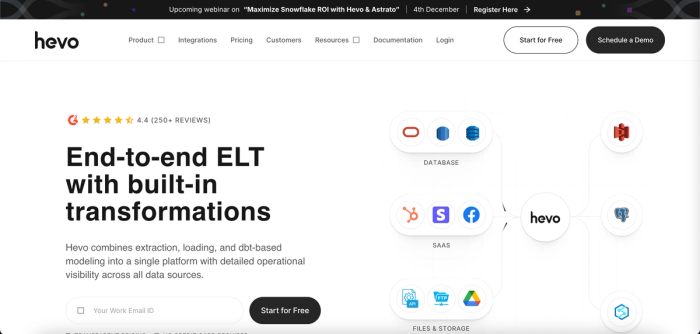
Hevo Data is a fully cloud-based, end-to-end data pipeline platform built to support both ETL and ELT workflows. It enables organizations to effortlessly extract data from multiple sources, load it into their destination systems, and keep everything continuously in sync. It automatically scales up or down to handle fluctuations in data volume and real-time spikes.
Features of Hevo Data
- No-code tool: Hevo Data enables analysts to build data pipelines without writing any code. It also offers real-time pipeline monitoring, allowing teams to quickly detect and resolve issues as they occur.
- Bidirectional ETL: Hevo Data supports both traditional ETL and Reverse ETL, enabling you to not only move data into your warehouse but also push prepared data back into business tools such as CRMs and ERPs.
- Connectors: Hevo Data comes with 150+ prebuilt connectors for databases, SaaS platforms, and cloud storage.
Conclusion
Data integration and transformation tools have become important in modern business intelligence and data analytics. They ensure that raw data is converted into clean and structured formats. Without properly transformed data, organizations risk drawing inaccurate insights and misaligning strategic priorities.
Among these data transformation tools, Quadratic stands out, offering more than just transformation capabilities. It combines data preparation, analysis, and visualization in an intuitive spreadsheet environment. If you're looking to streamline your analytics workflow and supercharge your team with an all-in-one data workspace, you can try Quadratic for free today.
