Managing a standard salaried workforce is usually straightforward. Employees work set hours, accrue standard vacation time, and follow a predictable schedule. However, for HR operations managers and workforce planners handling contingent staff, temporary workers, or manufacturing crews, the reality is far more chaotic, presenting unique contingent workforce management challenges. High turnover rates, variable shift patterns, and unique status codes make standard tracking methods difficult to sustain.
When faced with this complexity, most organizations look for HR time and attendance software to streamline the process. The problem is that most off-the-shelf solutions are either too expensive for a transient workforce or too rigid to handle edge cases like "Late to Line" or "Converted" status changes. Conversely, relying on basic spreadsheet templates often leads to broken formulas and data entry errors.
There is a middle ground. By using Quadratic, you can build a bespoke, lightweight application that combines the flexibility of a spreadsheet with the robust logic of software. This approach allows you to track specific operational nuances without the high cost of enterprise systems or the fragility of traditional Excel files.
Why traditional time and attendance HR software falls short
The "complexity gap" is a common frustration for HR leaders in logistics, manufacturing, and high-volume staffing. Most time and attendance HR software is designed with the assumption of stability. These platforms excel at tracking 9-to-5 employees but often struggle when operations deviate from the norm.
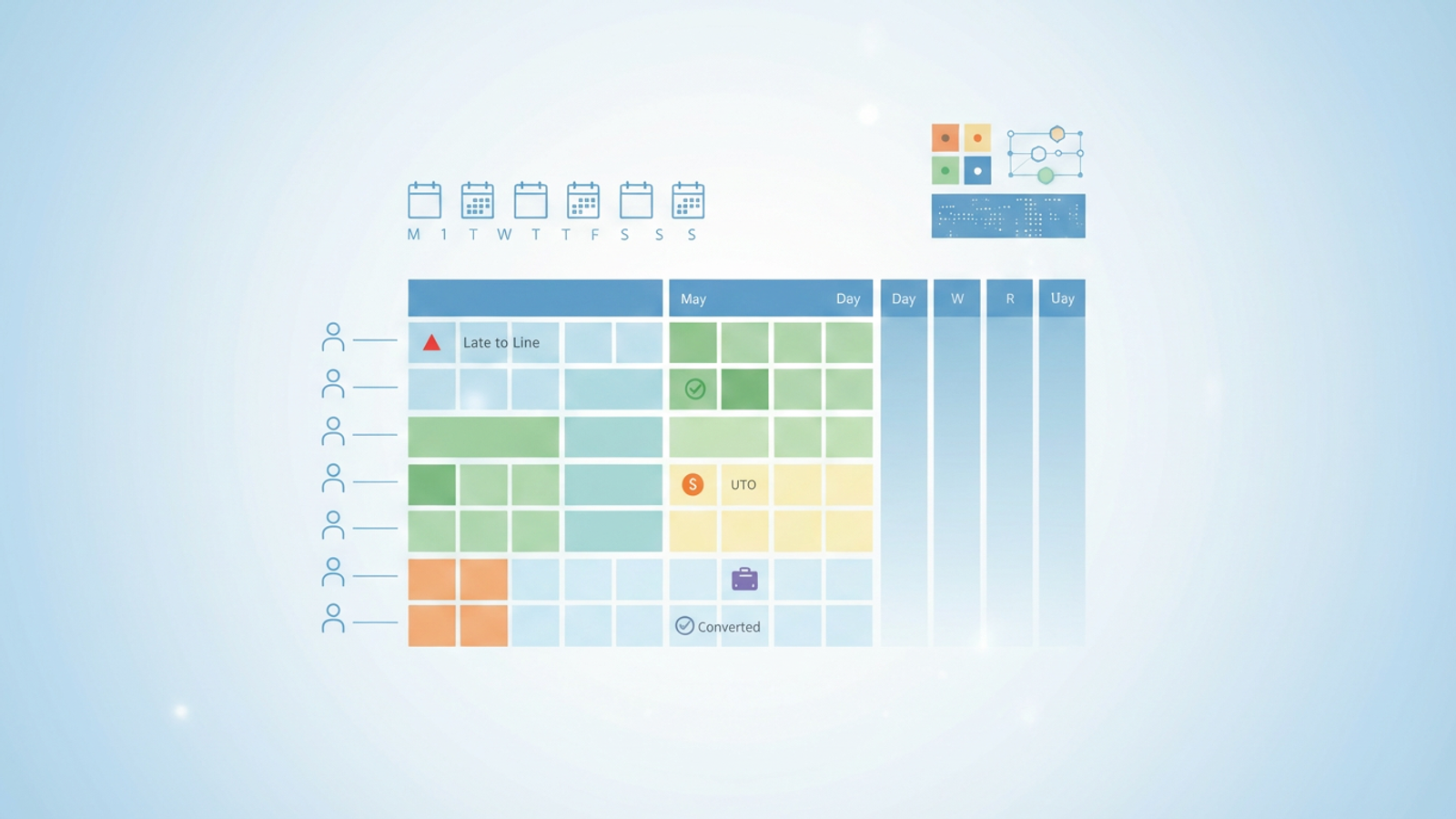
For example, a standard SaaS platform might offer basic options like "Present," "Absent," or "Sick." However, a workforce manager dealing with contingent staff needs far more granularity. You might need to track if a worker was "Late to Line" (impacting production quotas), if they took "UTO" (Unpaid Time Off), or if their status changed from "Temp" to "Converted."
Customizing enterprise software to handle these specific logic flows often requires expensive consultants or long development cycles. This leaves many teams stuck manually updating brittle spreadsheets that lack data validation, leading to significant payroll errors and compliance risks. The solution isn't necessarily buying more software; it is building a tool that lets you define your own logic.
Building your custom tracker in Quadratic
Instead of forcing your workflow into a pre-made template, you can use Quadratic to construct a tracker that mirrors your exact operational reality. This goes beyond simple data entry; it is about creating an interactive environment that behaves like an app.
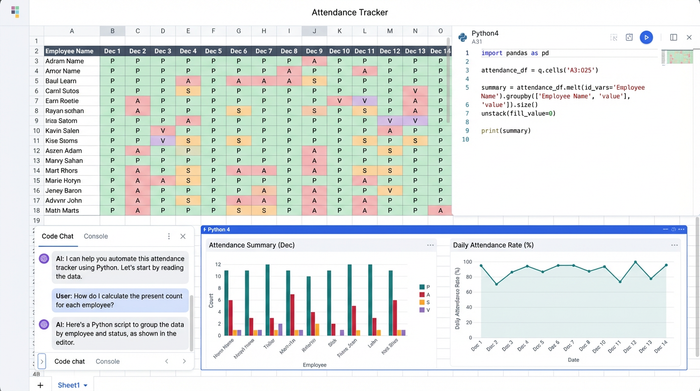
In this use case, we will walk through how a workforce manager can set up a daily attendance tracker specifically for contingent staff. The layout is intuitive: a calendar grid where rows represent individual workers and columns represent days of the month. While this looks like a standard spreadsheet, the underlying engine allows for Python-powered automation and strict data controls.
Step 1: Defining custom status codes and data validation
The fastest way to corrupt your data is to allow free-text entry. If one manager types "No Show" and another types "NS," your reporting will break. To solve this, you must treat your spreadsheet like an app by enforcing data validation.
In Quadratic, you can configure dropdown menus that restrict input to a specific set of status codes. Based on real-world contingent workforce needs, your list might include:
- Present
- Late to Line
- UTO (Unpaid Time Off)
- PTO (Paid Time Off)
- Absent
- Tardy
- Excused / Unexcused
- Terminated
- Converted
By locking these options into a dropdown menu, you ensure that every entry is standardized. This is critical for downstream reporting. Unlike traditional spreadsheets where validation can be easily bypassed or broken, Quadratic maintains data integrity, ensuring that "Late to Line" is always recorded identically, allowing for accurate performance tracking later.
Step 2: Visual management and weekend shading
For a busy HR manager, visual clarity is as important as data accuracy. You need to be able to look at a roster of 50 workers and instantly spot trends, such as high absenteeism on Mondays or a string of unexcused absences.
You can set up your Quadratic grid to function as a visual heat map. First, apply conditional formatting to automatically gray out weekends or non-working days based on the date headers. This prevents accidental data entry on days when the line wasn't running.
Next, assign specific colors to your status codes. You might configure "No Call/No Show" to turn the cell bright red, "Present" to turn green, and "Terminated" to turn dark grey. This visual logic transforms a wall of text into a dashboard where issues jump out immediately, allowing workforce planners to address attendance problems proactively rather than reactively.
Step 3: Automating reporting with advanced formulas
The primary goal of workforce management software is to automate calculations for payroll and performance reviews. In a manual spreadsheet, you might find yourself counting cells by hand or dragging fragile formulas across thousands of rows.
In Quadratic, you can automate this reporting using advanced formulas or integrated Python. You can create a summary block or "Legend" at the top of your sheet that calculates key metrics in real-time.
For example, you can write a formula to calculate the total "Late to Line" instances per employee for the current month. You can also generate grand totals for "UTO" versus "PTO" to assist with payroll reconciliation. Because Quadratic allows for more robust coding, these calculations update instantly as you change daily statuses. Furthermore, when you add new rows for new hires—a frequent occurrence with contingent staff—your logic remains intact, eliminating the need to constantly audit your formulas for breakage.
The benefits of a programmable approach
Adopting a programmable spreadsheet for workforce management offers distinct advantages over purchasing rigid HR software with time and attendance features.
The first benefit is flexibility. Operational policies change. If your company introduces a new attendance code next month, you don't need to wait for a software vendor to push an update. You simply add the new code to your dropdown list and update your logic immediately.
The second benefit is cost-efficiency. Enterprise software often charges per user or per seat, which becomes prohibitively expensive when managing a high-volume, high-turnover temporary workforce. Quadratic provides the power of a database-backed application without the enterprise price tag.
Finally, you gain accuracy. By combining dropdown validation with automated calculations, you eliminate the human error associated with manual data entry. You get the specific, granular insights you need—like exactly how many production minutes were lost to "Late to Line" incidents—without having to filter through irrelevant data fields found in generic software.
Conclusion
Managing a contingent workforce requires a balance of structure and flexibility. While standard HR time and attendance software provides structure, it often lacks the flexibility to handle the messy reality of temporary staffing. On the other hand, basic spreadsheets offer flexibility but lack the structure to keep data safe.
By building your attendance tracker in Quadratic, you bridge this gap. You empower your HR team with a tool that handles complex statuses, enforces data integrity, and automates reporting, all within an interface they already know how to use. Don't settle for a rigid template that doesn't fit your operation—build the exact tool your team needs.
Try Quadratic today to start building your custom workforce management solution.
Use Quadratic to Simplify Contingent Attendance
- Build a custom contingent workforce attendance tracker that handles specific operational nuances like "late to line" or "converted" statuses, unlike rigid HR software.
- Standardize data entry and prevent errors using customizable dropdown menus for unique status codes, ensuring data integrity for payroll and compliance.
- Gain instant visual insights into attendance trends with conditional formatting that color-codes statuses and highlights issues like no-shows or tardiness.
- Automate real-time calculations for critical metrics (e.g., total "late to line" instances, UTO vs. PTO) using robust formulas, eliminating manual errors and fragile spreadsheets.
- Adapt rapidly to policy changes by easily updating attendance codes and logic, avoiding the high cost and slow development cycles of enterprise systems.
Ready to build your own custom workforce management solution? Try Quadratic.
