Table of contents
- Why data accessibility is critical to a procurement process assessment
- The options: manual entry vs. enterprise SaaS vs. the Quadratic way
- Step-by-step: extracting pro forma invoice data in Quadratic
- The result: from PDF to structured analysis
- Analyzing the extracted data
- Conclusion
- Use Quadratic to Conduct Procurement Process Assessments
A successful procurement process assessment is rarely just a strategic audit or a high-level review of vendor relationships. At its core, it is a hunt for operational inefficiencies. When you dig into the daily workflows of supply chain analysts and financial operations teams, you often find that the biggest bottleneck isn't strategic sourcing or negotiation. It is data entry.
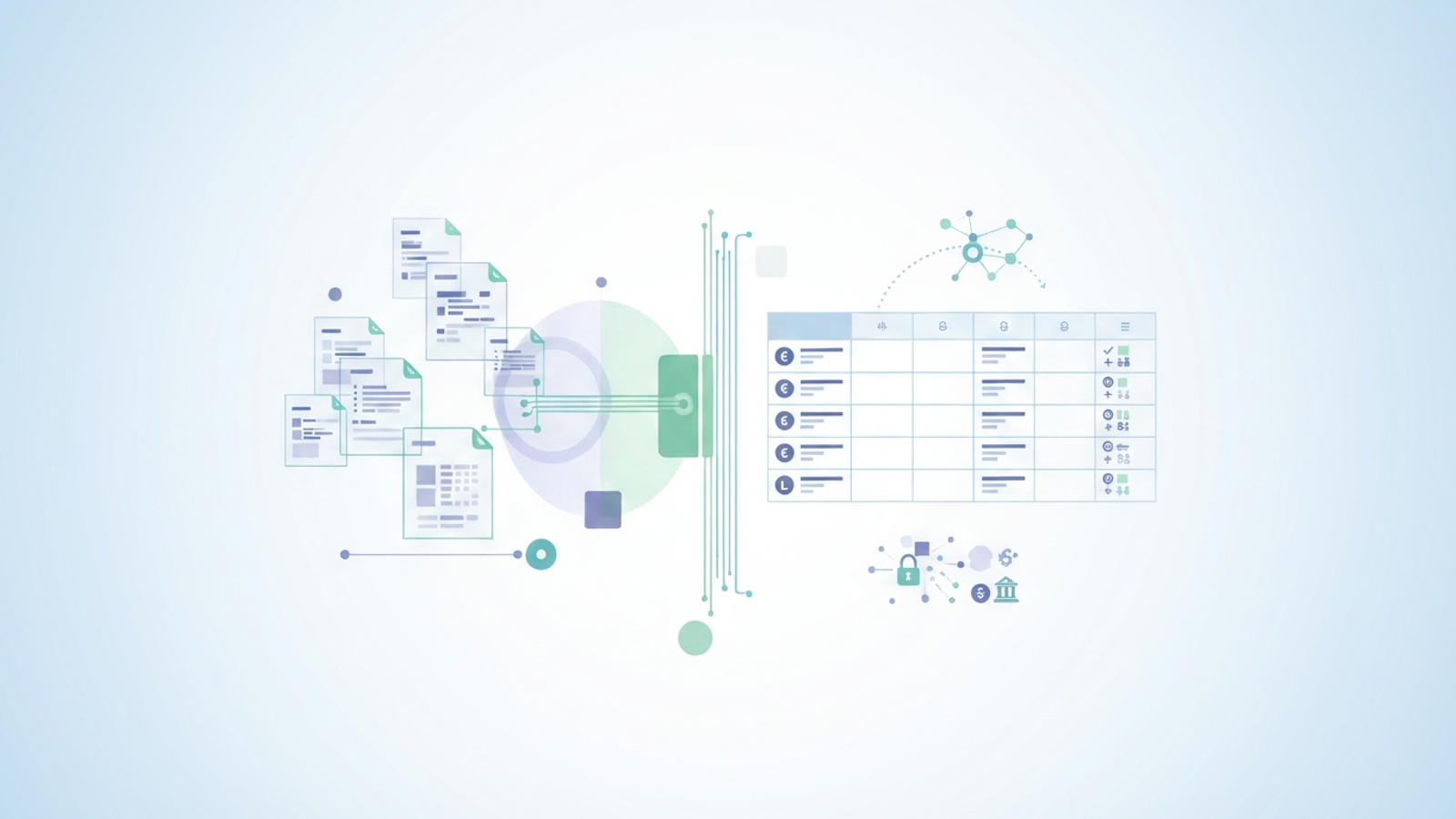
Specifically, the problem lies in "Dark Data"—critical transactional details locked inside static documents like Pro Forma invoices. These PDFs are easy for humans to read but impossible for standard spreadsheets to process. As a result, highly skilled procurement managers spend hours manually re-typing data into Excel to prepare for payments or financial reviews. This manual friction undermines the very efficiency you are trying to measure.
To solve this, you do not need to overhaul your entire ERP system or purchase expensive enterprise OCR software. You can bridge the gap using Quadratic, a modern spreadsheet that integrates Python directly into the grid. This allows you to automate the extraction of locked data and turn a folder of PDFs into a clean, analyzable dataset in seconds.
Why data accessibility is critical to a procurement process assessment
When you are filling out a procurement process assessment form or an internal audit checklist, you are likely evaluating metrics such as "Data Accuracy," "Cycle Time," and "Cost Per Invoice." These are the standard KPIs that determine the health of a financial supply chain. However, these metrics often fail to capture the reality of the workflow.
If your team relies on manual entry, your assessment will reveal two major issues. First, accuracy suffers. Manually typing out International Bank Account Numbers (IBANs), SWIFT codes, and line-item pricing inevitably leads to human error. A single typo in a bank account number can delay payments by weeks. Second, speed creates a ceiling on scalability. Processing a single Pro Forma invoice might take five minutes, which is manageable. But processing 50 invoices takes hours of focused, low-value labor.
You cannot truly improve your procurement process if your data is stuck in static documents. To optimize the workflow, you must first ensure that the data driving it is accessible, structured, and ready for automated data processing.
The options: manual entry vs. enterprise SaaS vs. the Quadratic way
When faced with the challenge of getting data out of PDFs and into a spreadsheet, procurement teams typically face three options.
1. The Manual Grind (Excel)
This is the default method for most teams. You open the PDF on one screen and Excel on the other. You might try to copy and paste, but the formatting usually breaks. Columns misalign, headers disappear, and critical information located in the document footer—like bank details or payment terms—often gets left behind. It is slow, error-prone, and frustrating.
2. The Enterprise Overkill
The second option is to purchase dedicated AP automation software or enterprise OCR tools. While these tools are powerful to automate invoice processing, they come with significant baggage. They often require IT approval, long implementation times, and expensive annual contracts. For a procurement manager who just needs to process a batch of invoices today, this is not a viable solution.
3. The Quadratic Approach
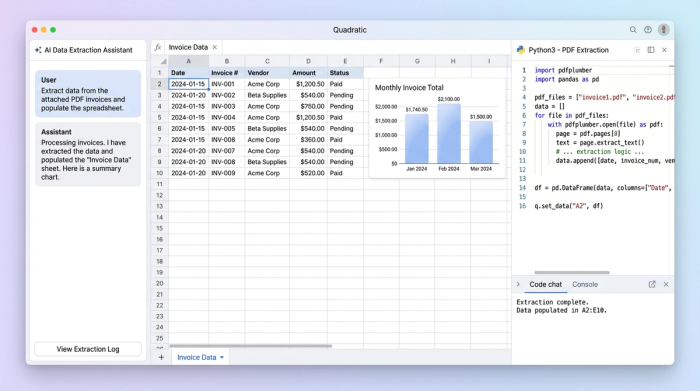
Quadratic offers a middle ground. It provides the familiar interface of a spreadsheet but includes a built-in code editor that runs Python. This allows you to use powerful data extraction libraries without leaving your spreadsheet. It is a builder-focused approach that gives you the power of a developer tool with the ease of a spreadsheet, allowing you to extract pdf data to excel formats (CSV/XLSX) efficiently.
Step-by-step: extracting pro forma invoice data in Quadratic
The following workflow demonstrates how a real procurement professional uses Quadratic to solve the "Pro Forma" bottleneck. In this scenario, the user has a folder of PDF invoices containing supplier info, product descriptions, and varying payment terms.
1. The setup
You begin with a batch of PDF files. These documents contain tables with quantities, unit prices, and total costs. Crucially, they also contain unstructured text in the headers and footers, such as the supplier's address and banking instructions.
2. Ingesting the files
In a standard spreadsheet, you cannot easily reference a local file path or a folder of documents. in Quadratic, you can upload the files or reference them directly using Python. This brings the raw files into the environment where they can be processed.
3. The script
Quadratic supports libraries like pdfplumber or tabula, which are designed specifically to read PDF structures. You do not need to be a software engineer to do this; the logic is often as simple as telling the script to "find the table on page 1" and "find the text at the bottom of the page."
4. Targeting specific data points
The true power of this method is the ability to target different types of data simultaneously:
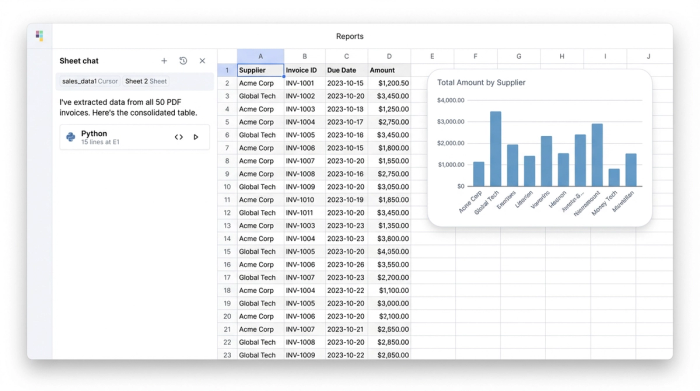
- The Table Data: The script iterates through the invoice rows to extract structured data like product names, quantities, and line-item totals.
- The Hidden Data: Standard copy-pasting often misses the footer. With Python, you can specifically target the bottom 10% of the page to extract Bank Information and Payment Terms. This ensures that the financial details required for the wire transfer are paired correctly with the line items.
The result: from PDF to structured analysis
Once the script runs, the output is visualized immediately in the Quadratic grid. What was once a folder of 20 separate, locked PDF files is now a single, unified dataframe.
This consolidation changes the nature of your work. You are no longer looking at individual documents; you are looking at a dataset. The supplier names, invoice dates, total liabilities, and payment instructions are organized into clean columns. This data is now ready for immediate financial review and payment processing.
For a procurement process assessment, this is the ideal state. You have eliminated the manual data entry variable, ensuring that your cycle time measures the actual approval process rather than the typing speed of your analysts.
Analyzing the extracted data
Now that the data is live in Quadratic, you can perform AI spreadsheet analysis that was previously impossible without hours of prep work.
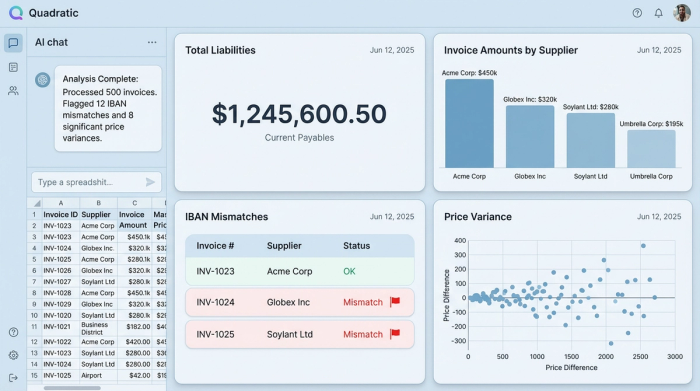
- Sum total liabilities: Instantly calculate the total cash requirement for the batch of invoices to assist treasury planning.
- Verify bank details: Use SQL within Quadratic to join your extracted invoice data against a master vendor list. You can automatically flag any invoice where the extracted IBAN does not match the file on record, preventing fraud and errors.
- Price checking: Compare the unit prices extracted from the Pro Forma invoice against your contracted rates to flag discrepancies immediately.
Conclusion
A procurement process assessment is only as good as the data you can access. If your team is stuck manually typing data from PDFs, your process is inherently inefficient and prone to risk. You do not need to accept this bottleneck, nor do you need to wait for an enterprise-wide software rollout to fix it.
By using Quadratic, you can turn static PDF invoices into dynamic, structured data tables. This allows you to focus your energy on analyzing spend and managing supplier relationships rather than fixing broken spreadsheet formatting. Try Quadratic today to automate your data extraction and take control of your procurement workflows.
Use Quadratic to Conduct Procurement Process Assessments
- Automate invoice data extraction: Quickly pull critical details like supplier info, line items, and payment terms from PDF invoices, eliminating manual data entry for procurement reviews.
- Ensure data accuracy for KPIs: Reduce human error in IBANs, SWIFT codes, and pricing, leading to more reliable "data accuracy" metrics in your assessments.
- Accelerate cycle times: Transform batches of PDF invoices into structured datasets in seconds, directly improving the "cycle time" KPI by removing manual bottlenecks.
- Access all critical invoice data: Extract both structured table data and unstructured footer information (like bank details), ensuring no vital financial information is missed during audits.
- Streamline financial reviews: Consolidate data from multiple invoices into a single, analyzable dataset for instant treasury planning, bank detail verification, and price checking.
- Avoid expensive enterprise solutions: Leverage Python within a familiar spreadsheet interface to automate data extraction without needing extensive IT approval or costly software implementations.
Ready to streamline your procurement data? Try Quadratic.
