Table of contents
- Why traditional spreadsheets break (and how to fix them)
- Step 1: Architecting your data tables
- Step 2: Integrating operational costs and expenses
- Step 3: Building the logic layer (the "operating agreement")
- Creating the "command center" dashboard
- The ROI: build vs. buy vs. hire
- Conclusion
- Use Quadratic to build an integrated spreadsheet system for small business operations
Growth is often described as a good problem to have, but for the person managing the backend of a scaling company, it often feels like chaos. In the early days, a single spreadsheet was enough. But as you add clients, employees, and inventory, that single sheet fractures into a dozen different files. You end up with customer data in a CRM, financial data in accounting software, and the actual day-to-day tracking scattered across loose CSVs and disconnected tabs.
This impact of data fragmentation is the enemy of effective small business operations. True operations management isn't just about doing the work; it is about building the systems that make the work efficient. When your data is siloed, you lose visibility. You spend hours manually copying and pasting rows between sheets to generate a simple report. These manual workflows are not just annoying; they are the primary source of inefficiencies driving up operating costs, with the real cost of manual accounting often being significant for small businesses.
The solution is not necessarily to buy expensive, rigid enterprise software that takes months to implement. Instead, you can build an "Integrated Spreadsheet System." By utilizing Quadratic for data analytics modernization, you can create a centralized workspace where data flows logically from input to insight, giving you the power of a custom application with the flexibility of a spreadsheet.
Why traditional spreadsheets break (and how to fix them)
Most operations managers experience "spreadsheet fatigue" because traditional tools were not designed to be databases. In a standard spreadsheet, as your complexity grows, you are forced to hide data in separate tabs. To connect that data, you rely on fragile VLOOKUPs or INDEX-MATCH formulas that break the moment someone sorts a column incorrectly.
This "brittleness" makes business operations small business leaders hesitant to build their own systems. They fear that one wrong keystroke will destroy their financial reporting.
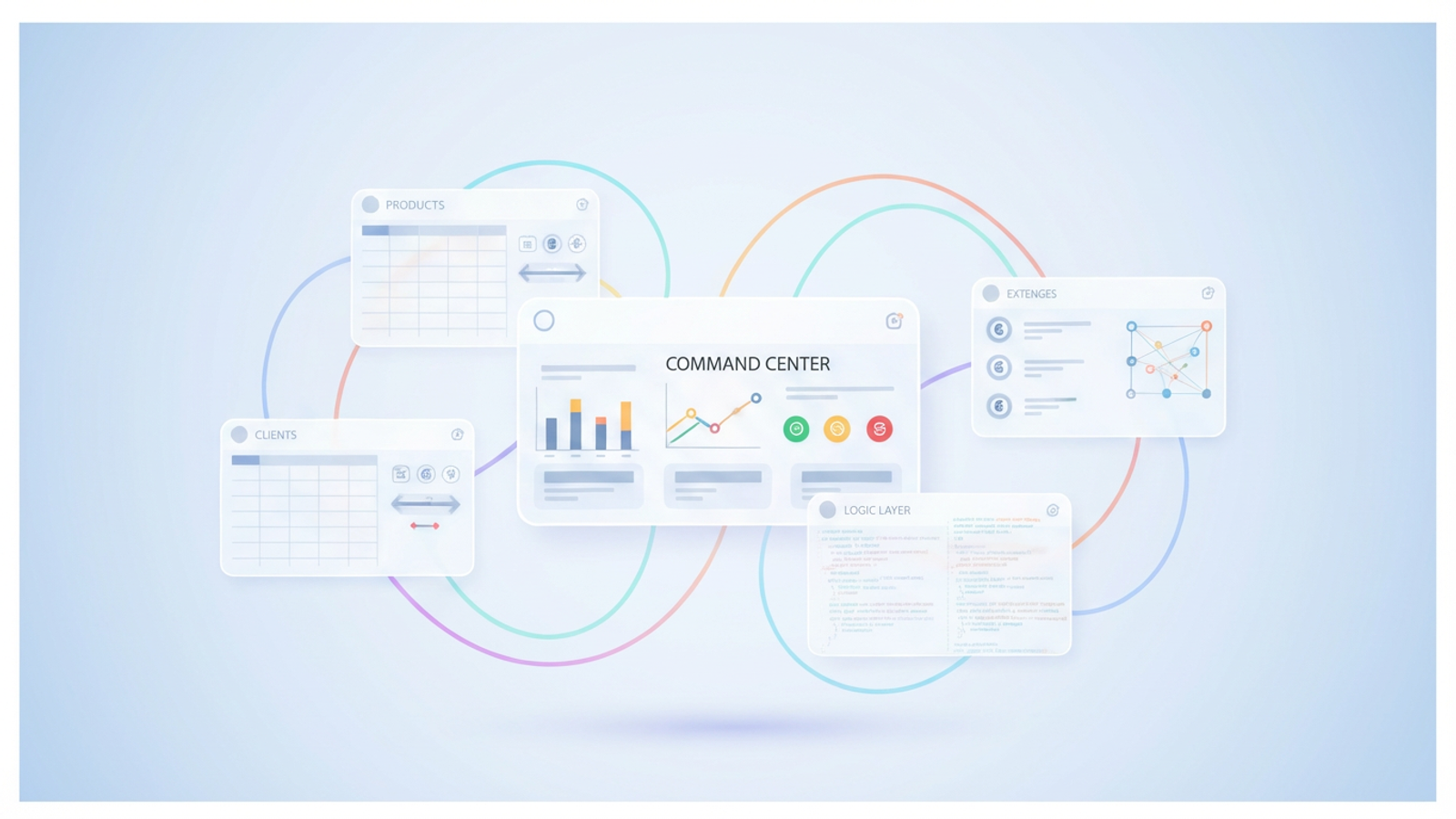
Quadratic solves this by changing the fundamental layout of the spreadsheet. Instead of a grid trapped in a tab, you get an infinite canvas. You can place your data tables side-by-side—Products next to Orders, next to Revenue—allowing you to visualize the flow of your business logic. Furthermore, because Quadratic integrates Python and SQL directly into the grid, you can build stable, automated connections between these tables that don't break under pressure.
Step 1: Architecting your data tables
Building your integrated system starts with structure. Rather than dumping everything into one massive sheet, you should treat your canvas like database schema principles. You can create distinct, structured tables for each core area of your business.
For a typical operation, you might begin by creating three primary tables on your canvas:
1. Products or Services: This table holds your SKUs, unit prices, and cost bases.
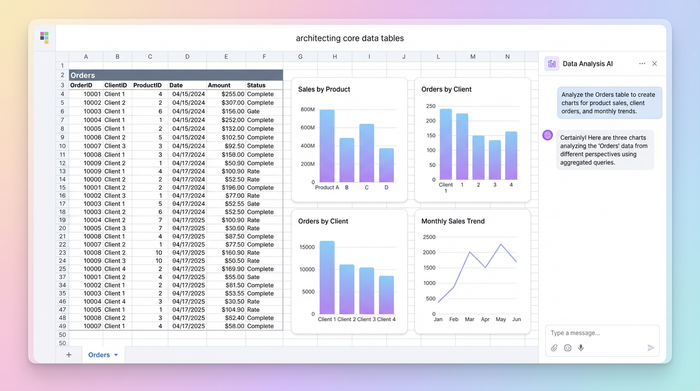
2. Clients: This contains contact information, contract status, and unique client IDs.
3. Orders or Projects: This is your transactional table, recording dates, deliverables, and linking back to the Client and Product tables.
In a traditional spreadsheet, analyzing this data would require dragging formulas down thousands of rows, which slows down the file and introduces errors. In Quadratic, you can use SQL to query these tables. You can write a simple query to pull all active orders for a specific client and display the result instantly in a new table. This keeps your raw data clean and your analysis dynamic.
Step 2: Integrating operational costs and expenses
Revenue is only half the story. Effective operations management requires a rigorous focus on the "bleed"—the variable costs that eat into margins. To get a true picture of profit, your system must integrate expense data alongside revenue data.
For example, consider a service-based business with a logistics component. If you manage a fleet of vehicles, simply having a line item for "Transport" is insufficient. You might import data streams that highlight the benefits of telematics for fleet operators in service businesses, such as vehicle maintenance alerts or idle time tracking. By bringing this raw data into a Quadratic table, you can correlate idle time with fuel costs to identify waste.
Similarly, you can track fuel spend by integrating transaction exports. There are distinct fuel cards advantages for small fleet operators service businesses, specifically regarding the structured data they provide on gallons purchased versus distance traveled. By importing this transaction history into your "Expenses" table, you can automate the calculation of cost-per-mile.
When you weigh the advantages of fuel cards for small fleet operators service businesses as a data source, you see how an integrated system wins. Instead of logging into a separate portal to check fuel costs, that data lives on your canvas, feeding directly into your master Profit & Loss calculation.
Step 3: Building the logic layer (the "operating agreement")
Every partnership has a contract that defines how the business runs. In the legal world, this is known as a small business operating agreement. Your data system needs a similar set of rules—a "logic layer" that dictates how different data points interact.
In your Integrated Spreadsheet System, this is where you define your workflows:
- When an Order is marked "Complete," does it automatically deduct from Inventory?
- When a Project is billed, does it move to the Revenue table?
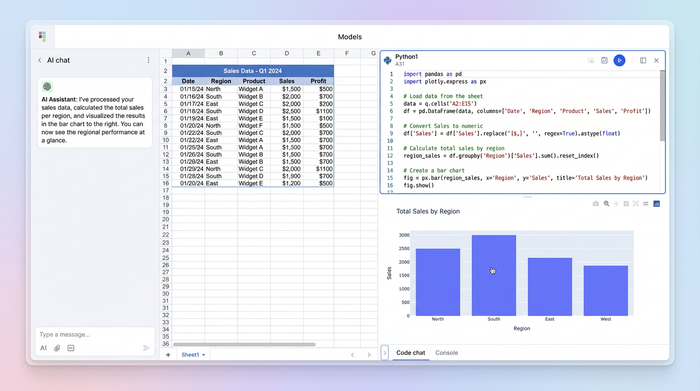
In standard spreadsheets, this logic is often hidden in complex, nested IF statements that are impossible to read. In Quadratic, you can use Python to script these relationships. You can write a short Python script that looks at your "Orders" table and automatically updates your "Inventory forecast\". If a client orders "Service Package B," the script can instantly calculate the required hours and add them to your capacity planning table. This ensures your business logic is explicit, readable, and automated.
Creating the "command center" dashboard
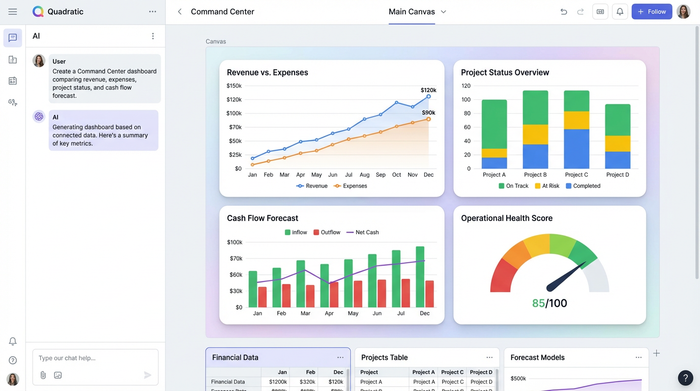
Once your data tables are structured and your logic is scripted, you can build the final piece: the Command Center. Because Quadratic uses an infinite canvas, your dashboard doesn't live in a separate file or a hidden tab; it sits right next to your source data.
This allows for effective small business operations management because it provides instant auditability. You can build a summary section that displays:
- Real-time Revenue vs. Expenses (pulling from your SQL queries).
- Project Status indicators (Green/Yellow/Red).
- Cash Flow forecasts for the next 30 days.
The power of this layout is the "all-in-one" view. If a number on the dashboard looks off, you don't have to hunt through thirty tabs to find the error. You simply pan across the canvas to the source table, correct the data, and watch the dashboard update in real-time.
The ROI: build vs. buy vs. hire
Building your own system requires an investment of time, but the return on investment is significant when compared to the alternatives.
First, consider the cost of labor. You could hire a dedicated small business operations consultant to fix your workflows, or you could look up the average director of operations salary small business leaders are paying today. With salaries often exceeding six figures, hiring a senior leader solely to organize data is a steep cost for a growing firm.
Second, consider the cost of software. You could buy an ERP system, but these are often rigid, expensive, and require you to change your processes to fit their software.
The third option is to build in Quadratic, a decision often informed by a comprehensive build vs. buy analysis for internal tools. This path allows you to construct a system that mirrors exactly how your business works. It is flexible enough to change as you scale and powerful enough to handle the complexity that breaks standard spreadsheets. For many teams, building this internal tool is the highest-leverage activity they can undertake.
Conclusion
The difference between a chaotic business and a scalable one is rarely the quality of the product; it is almost always the quality of the operations. By moving away from fragmented, "dead" spreadsheets and building an Integrated Spreadsheet System in Quadratic, you gain control. You can centralize your data, visualize the connections between logic and results, and automate repetitive tasks with code.
Don't let your growth be stifled by broken formulas and scattered files. Take control of your small business operations by building a living system that grows with you.
Use Quadratic to build an integrated spreadsheet system for small business operations
- Centralize all your operational data—from products and clients to orders and expenses—on one integrated, infinite canvas, eliminating fragmented files.
- Automate data connections between tables using native Python and SQL, ensuring your operational workflows are robust and don't break as your business grows.
- Integrate external data streams like telematics or fuel card transactions directly into your system to gain a real-time, comprehensive view of operational costs.
- Script custom business logic in Python to automate tasks such as inventory updates, project status changes, or revenue tracking, making your operations more efficient and less prone to manual errors.
- Build a dynamic "command center" dashboard directly alongside your data, providing instant, auditable insights into revenue, expenses, and cash flow without switching tabs or files.
- Create a flexible, custom operational system that evolves with your small business, avoiding the rigidity and high costs of traditional enterprise software.
Take control of your small business operations. Try Quadratic.
