Template overview and purpose
This template provides a single-sheet solution for stoichiometry workflows, designed to streamline the process of identifying reaction limits, leveraging the power of a coding spreadsheet. It functions as a limiting reagent calculator that automates the comparison of reactants based on standard stoichiometric principles.
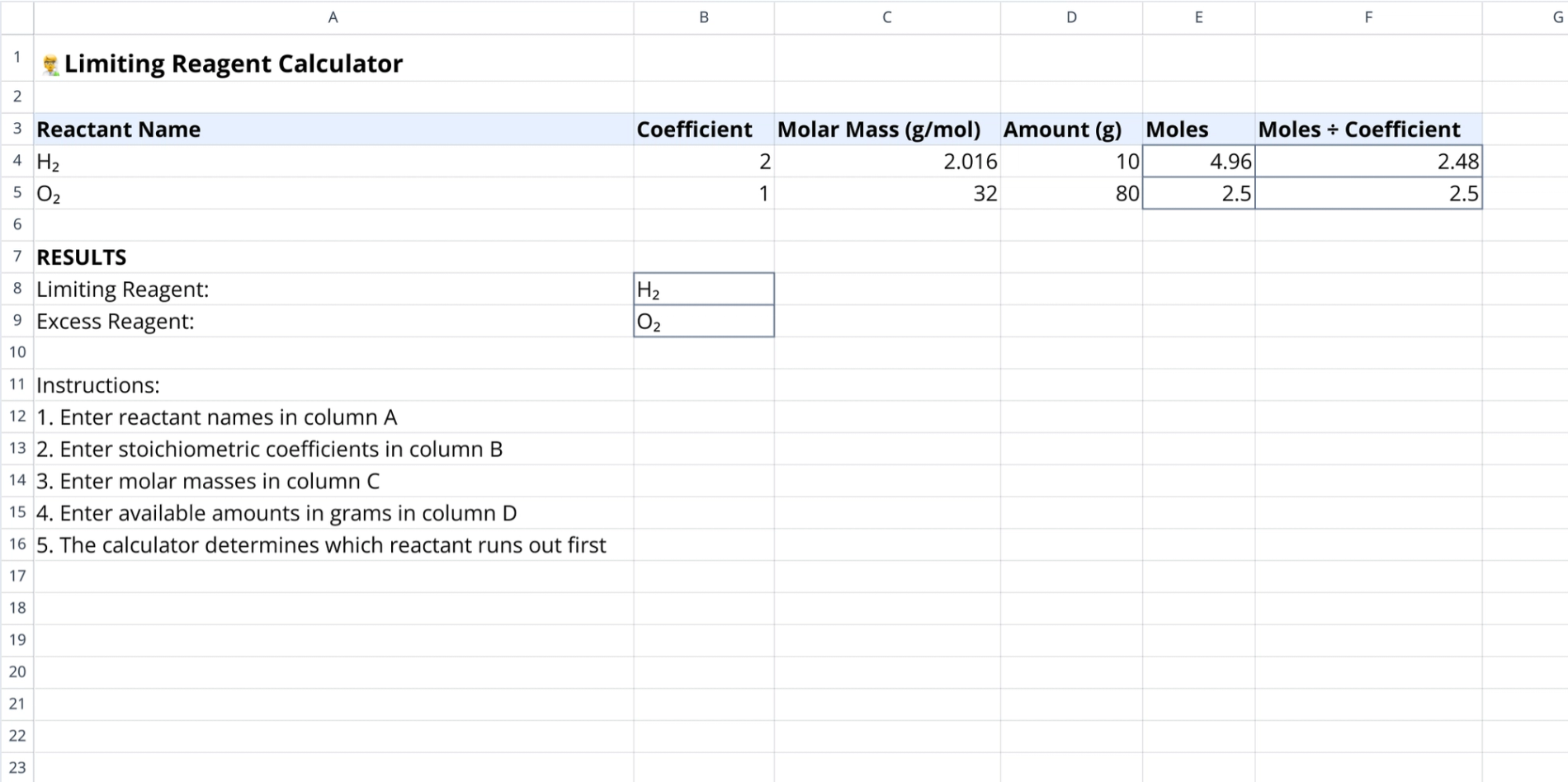
The sheet includes pre-populated example data using Hydrogen (H₂) and Oxygen (O₂) to illustrate the calculation flow. By normalizing mole ratios against balanced equation coefficients, the template demonstrates the logic required to calculate the limiting reagent in chemical reactions accurately.
Input parameters
The calculation relies on specific user inputs located in the main data table. Users must provide the following data points for the formulas to function correctly:
- Reactant name (Column A): Text field for labeling chemical species.
- Coefficient (Column B): Integer input for stoichiometric coefficients from the balanced equation.
- Molar mass (Column C): Input field for molecular weight in g/mol.
- Amount (Column D): User entry for the mass of the reactant in grams.
Automated calculation logic
Once inputs are entered, the template executes formulas in the adjacent columns to process the data; for more complex scenarios, users can leverage an ai formula generator to streamline their spreadsheet workflows. These calculations prepare the values for comparison:
- Moles (Column E): Formulas divide Amount by Molar Mass to determine total moles available.
- Stoichiometric normalization (Column F): Divides Moles by Coefficient to enable direct comparison between reactants with different ratios.
- Logic flow: Determines which reactant has the lowest normalized ratio to perform the limiting reagent calculation.
Interpreting the results section
The results area, located below the input table, interprets the normalized data to provide a clear answer regarding the reaction status.
- Limiting reagent identification: Automatically selects the reactant with the lowest value in the Moles ÷ Coefficient column.
- Excess reagent identification: Highlights the reactant with the higher remaining ratio.
- Example output: Shows H₂ as the limiting reagent based on a ratio of 2.48 versus 2.5 for O₂.
How to calculate limiting reagent using this template
To use this tool for a new reaction, follow these steps to replace the example data with your specific experimental values:
- Clear existing example data from the input table.
- Enter the coefficients from your balanced chemical equation.
- Input the specific molar masses and available gram amounts for each reactant.
- Review the calculated columns to verify mole conversion accuracy.
- Check the results rows to identify which chemical limits the theoretical yield.
Who this limiting reagent calculator is for
This template is designed for individuals and professionals involved in chemical analysis and education:
- Chemistry students: Learners needing to verify manual stoichiometry homework.
- Lab technicians: Professionals requiring quick checks for reaction planning. For those managing supplies, a safety stock calculator is available to optimize inventory.
- Educators: Teachers demonstrating mole ratios and reaction limits.
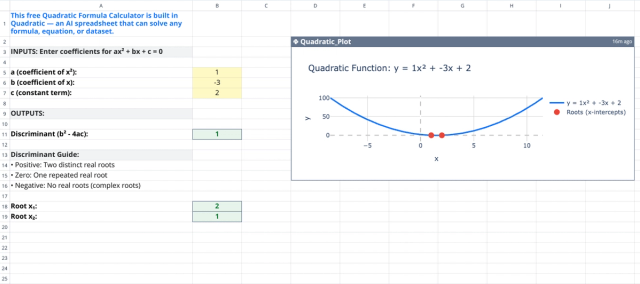
- Researchers: Scientists needing a quick utility to calculate the limiting reagent during experimental design. Quadratic also provides a dedicated quadratic formula calculator for algebraic problems.
Use Quadratic to calculate limiting reagent
- Automate the comparison of reactants to quickly identify reaction limits.
- Input reactant details, coefficients, molar masses, and amounts in a clear, structured table.
- Instantly calculate moles and normalize ratios for direct stoichiometric comparison.
- Clearly identify the limiting and excess reagents in a dedicated results section.
- Streamline your stoichiometry workflows with a single, browser-based solution.