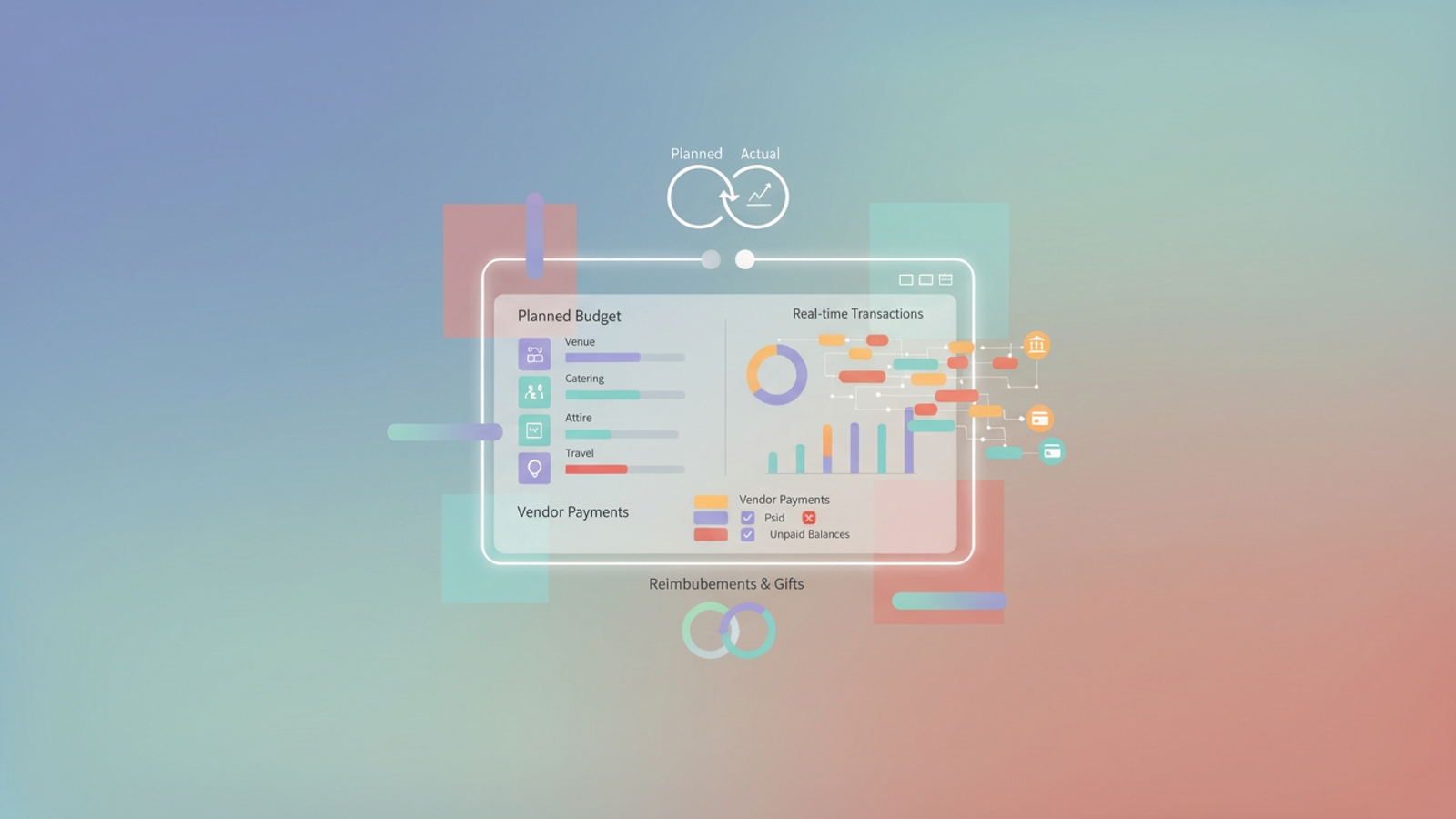
Planning a wedding involves hundreds of moving parts, but the financial aspect is often the most stressful. Between venue deposits, catering installments, photographer fees, and dozens of small Etsy purchases for decor, the volume of transactions can become unmanageable. For many couples, keeping track of where the money is going becomes a source of anxiety rather than a helpful tool.
Most advice suggests downloading a standard wedding spending spreadsheet and manually entering every receipt. While this might work for the first few weeks, it usually fails as the big day approaches. You get busy, receipts get lost, and the spreadsheet stops reflecting reality. There is a disconnect between what you have spent and what you think you have spent.
The solution is not just another static template. Instead, modern couples are turning to dynamic workspaces like Quadratic. By building a workflow that combines your planned budget with real-time transaction syncing from your bank accounts, you can create a live financial command center. This approach eliminates the drudgery of data entry and gives you an accurate, automated view of your wedding finances, which also eliminates human errors and reduces financial stress.
Why static wedding trackers fall short
If you search for financial templates online, you will mostly find static grids. These require you to be the data entry clerk for your own life. Every time you swipe your credit card for a dress fitting or pay a vendor, you have to remember to open your laptop, find the file, and type in the date, merchant, and amount.
The "Manual Entry Trap" is the primary reason wedding budgets fail. If you forget to log a reimbursement from a parent or miss a series of small charges for postage, your budget is instantly inaccurate. You might think you have funds remaining for a videographer, only to realize later that you already spent that money on forgotten miscellaneous costs.
A truly effective wedding spending spreadsheet should not be a list of rows you type by hand. It should be a dashboard that pulls data for you. Automation is the only way to bridge the gap between your bank balance and your budget without turning wedding planning into a second job.
Building a connected workflow in Quadratic
Moving your budget to Quadratic allows you to treat your wedding finances like a professional project. The goal is to separate the "Planned" budget, which is static, from the "Actual" spending, which should be dynamic and automated.
Step 1: Define the planned budget
You still need to set your targets manually. In a clean table within Quadratic, you can list your major categories—Venue, Catering, Attire, Music, and Florals, often guided by common budgeting frameworks like the 50/30/20 rule. Next to each, define your "Cap" or "Target" amount. This acts as your financial North Star. For example, you might allocate $10,000 for the venue and $5,000 for catering. This simple table serves as the baseline for all future analysis.
Step 2: Syncing real financial data
This is where a Quadratic workflow outperforms a traditional spreadsheet. Instead of saving receipts, you can use Quadratic’s integrations to connect directly to your financial data sources. Whether you are using Plaid to connect to bank accounts or importing CSV exports from your credit card statements, you can pull your actual transaction history directly into the grid.
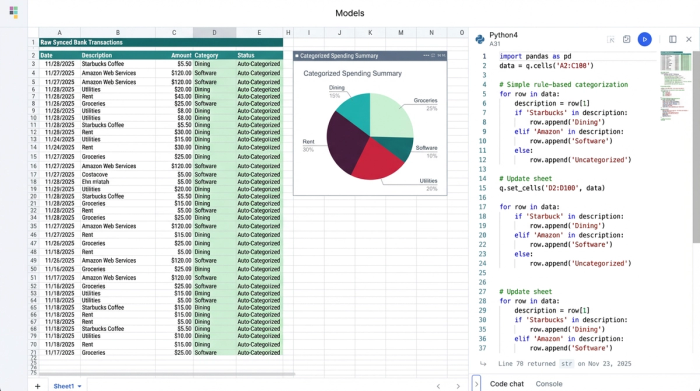
Because Quadratic allows you to work with live data, you do not have to hunt for receipts. The data is already there. You can see every swipe and transfer in a raw data tab that updates as you spend. This ensures that no transaction, no matter how small, slips through the cracks.
Step 3: Categorizing transactions
Once your data is in the sheet, you need to tell the system which expenses are wedding-related. In a standard spreadsheet, you would have to sort and filter manually. In Quadratic, you can use built-in SQL or Python to automate this.
For example, you can write a simple query to tag any transaction containing "Bridal," "Florist," or "Hotel" as a wedding expense. You can also filter by date range to exclude expenses from before the engagement. This transforms a static list into a dynamic wedding spending spreadsheet that updates itself. As new transactions flow in from your bank, your rules automatically categorize them, saving you hours of administrative work.
Essential categories to track (and how to automate them)
When you automate your tracking, you gain the ability to monitor specific categories with much greater granularity. Here is how a connected workflow helps manage the most critical areas of wedding spend.
Venue and catering
These are typically your largest expenses, but they are rarely paid in one lump sum. You might pay a deposit twelve months out, a second installment six months out, and a final balance on the week of the wedding. By syncing your bank data, you can track these staggered payments automatically. You can easily see how much of the total "Venue" budget has been utilized and exactly how much is left to pay.
Attire and beauty
While the dress or suit is a major purchase, this category is often plagued by "expense creep". Alterations, shoes, accessories, trial hair appointments, and makeup costs are often small, separate transactions. These are the easiest to forget in a manual tracker. With an automated feed, every $50 tailoring charge is captured and aggregated against your "Attire" budget, preventing surprise overages.
Vendor payments
Keeping track of who has been paid and who is still owed money is vital. In Quadratic, you can set up a view that flags "Unpaid Balances." By comparing your total contract value against the transactions that have already cleared your bank, you can generate a checklist of outstanding payments. This ensures you never miss a due date or scramble to write a check on the morning of the wedding.
Reimbursements and gifts
Wedding finances are rarely one-way traffic. Parents may contribute to specific costs, or friends may reimburse you for bachelorette party expenses. In a manual sheet, these inflows often get messy. In Quadratic, you can tag these specific transactions as "Reimbursements" or "Gifts." You can then create a formula to subtract these from your total spend, giving you a "Net Cost" view. This allows you to see exactly what the wedding is costing you personally, versus the total cost of the event.
The payoff: planned vs. actual analysis
The ultimate goal of this setup is the dashboard view. Because your "Planned" numbers are defined and your "Actual" numbers are syncing automatically, you can create a summary table that compares the two in real time.
This analysis allows you to visualize overruns immediately. You might see that while your catering budget is on track, your travel budget has exceeded the limit by 15%, a common scenario given that many couples exceed their initial wedding budget. Because the data is live, you catch this trend early enough to adjust. You might decide to trim the floral budget to cover the travel overage.
Most importantly, this system provides peace of mind. You no longer have to wonder if you forgot to log a check or if your math is correct. You can trust that the numbers in your wedding spending spreadsheet are 100% accurate because they come directly from the source. This clarity allows you to make financial decisions confidently and focus on the joy of planning your celebration.
Conclusion
A wedding spending spreadsheet is an essential tool for modern couples, but it does not have to be a burden. By moving away from static templates and embracing a connected workspace, you can automate the tedious parts of financial tracking.
Quadratic allows you to build a system that works for you, combining the flexibility of a spreadsheet with the power of real-time data syncing. Instead of spending your evenings typing in receipts, you can spend them planning your future. Start your wedding planning with a workspace that does the heavy lifting for you.
Use Quadratic to Manage Your Wedding Spending Spreadsheet
- Automate transaction tracking: Eliminate manual data entry by connecting directly to your bank accounts and credit cards for real-time financial data.
- Maintain an accurate budget: Get an always-current view of your actual spending, ensuring no receipt or small charge is ever forgotten.
- Categorize expenses easily: Use built-in logic to automatically tag wedding-related transactions, saving hours of manual sorting.
- Track vendor payments and outstanding balances: See precisely what you've paid and what's still owed for each vendor, preventing missed due dates.
- Understand your net costs: Factor in reimbursements and gifts automatically to get a clear picture of your personal wedding expenses.
- Compare planned vs. actual spending instantly: Visualize budget overruns in real-time, allowing you to make timely adjustments and avoid surprises.
Start planning your wedding finances with confidence. Try Quadratic.
