About this event marketing plan template
This event marketing plan template is designed to centralize operational data and performance metrics into a single, programmable workbook. By leveraging Quadratic’s unique capabilities, the template separates raw data entry layers from visual dashboard layers, ensuring data integrity while providing high-level insights.
Key features include:
- Centralized Data: Consolidates event metadata, campaign spend, and task tracking in one location.
- Layer Separation: Keeps the
event_datasheet distinct from theDashboardvisualization sheet to prevent formula errors. - Python Integration: Utilizes Python scripts for real-time ROI calculation and automated budget optimization.
- Integrated Workflows: Connects project management tasks directly with campaign performance data.
Data layer components
The foundation of this template is the event_data sheet. This sheet houses the raw tables that power the visualizations and Python scripts, ensuring that all analysis is based on a single source of truth.
Events table
The Events table (A1:F5) stores the core metadata for your initiatives. It acts as the primary reference point for all downstream analysis.
- Metadata: Tracks Event IDs, specific names, and dates.
- Scope: logs event types, expected attendee counts, and ticket prices.
- Reference: Serves as the anchor for linking campaigns to specific events.
Campaigns table
The Campaigns table (H1:O14) records marketing activity across various channels, such as Google Ads, Social Media, and Email. This table is essential for tracking spend and effectiveness.
- Allocation: Columns include budget allocation, specific metric types, and campaign date ranges.
- Performance: Compares defined goal values against actual results to calculate success rates.
- Granularity: Allows for detailed tracking of twelve distinct campaigns across multiple channels.
Tasks table
The Tasks table (Q1:V12) manages the operational workflow required to execute the marketing plan for event template.
- Execution: Assigns owners and due dates to specific workflow items.
- Status: Tracks completion status and identifies task dependencies.
- Timeline: Links daily operational duties to the broader campaign schedules.
Dashboard visualization features
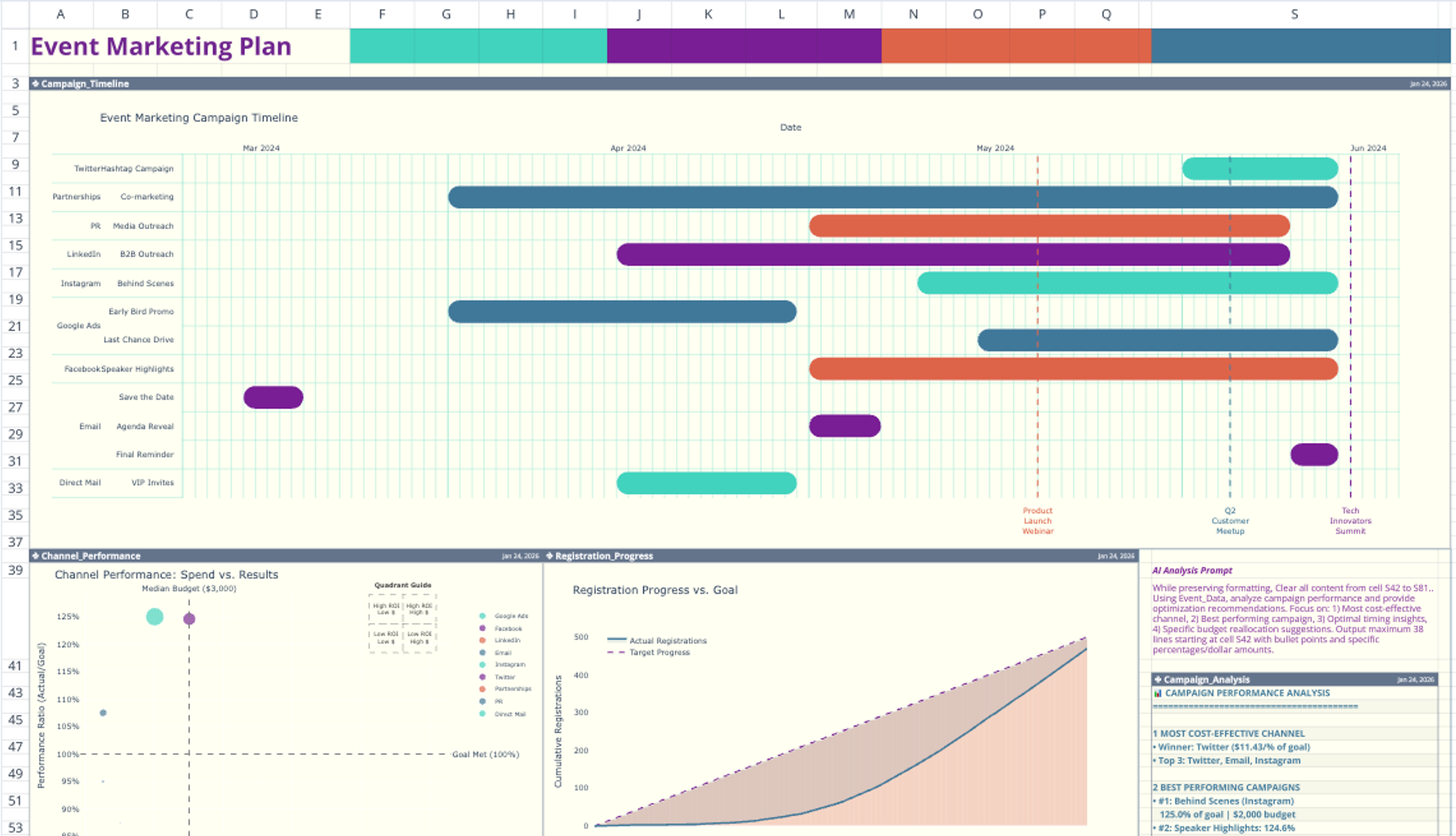
The Dashboard sheet serves as the presentation layer, utilizing Python-generated Plotly charts to visualize the data entered in the previous sheet, which is essential for comprehensive marketing data visualization.
Campaign timeline
The Campaign Timeline chart visualizes schedules using a Gantt-style display.
- Dynamic Rendering: Renders start and end dates directly from the Campaigns table.
- Visibility: Provides an immediate view of overlapping marketing activities to prevent resource conflicts.
Performance metrics
Three distinct charts provide a breakdown of campaign health and team efficiency:
- Channel Performance: Aggregates results by specific marketing channels (e.g., LinkedIn, Direct Mail) to highlight top performers.
- Registration Progress: Tracks campaign outcomes specifically against attendee acquisition goals.
- Task Dashboard: Displays the distribution of task statuses, allowing managers to identify bottlenecks in the workflow.
Python-powered analysis features
Unlike a standard spreadsheet, this template uses Python scripts that run automatically whenever source data changes. These scripts provide deeper quantitative analysis than standard formulas.
Cost-effectiveness analysis
The analysis block performs quantitative assessments of your spend efficiency, including metrics like advertising cost of sales.
- Ratio Calculation: Calculates cost-effectiveness ratios by dividing the budget by the goal attainment percentage.
- Ranking: Automatically ranks specific campaigns and channels based on their quantitative performance.
Budget optimization
Located in the Campaign_Analysis cell, this feature uses Python to suggest financial adjustments.
- Recommendations: Generates text-based recommendations for budget reallocation.
- Forecasting: Projects potential ROI improvements based on current data trends, a key aspect of predictive modeling and analytics.
- Customization: Uses modifiable prompts (cells S39:S41) to adjust the analytical focus of the algorithm.
How to use this marketing plan for event template
1. Input Event Data: Enter specific event details, including dates and ticket prices, into the Events table on the event_data sheet.
2. Log Campaigns: Record all marketing activities, budget limits, and goal metrics in the Campaigns table.
3. Assign Tasks: Update the Tasks table with team assignments, deadlines, and dependencies.
4. View Visuals: Navigate to the Dashboard sheet to view the auto-generated Plotly charts.
5. Analyze ROI: Review the Python analysis block to see algorithmic recommendations for budget optimization.
Who this event marketing plan template is for
- Event Managers: Professionals tracking spend and schedules across multiple digital channels.
- Marketing Teams: Groups requiring a centralized sample event marketing plan template to standardize reporting, similar to how a marketing funnel template can streamline campaign analysis.
- Data Analysts: Users seeking a marketing event planning template that integrates Python for advanced calculation.
- Cross-functional Teams: Organizations needing to visualize ROI and workflow status simultaneously in one view.
Use Quadratic to Track Event Marketing Campaigns & ROI
- Centralize event metadata, campaign spend, and operational tasks in one programmable workbook.
- Automate real-time ROI calculations and receive AI-driven budget optimization recommendations using Python.
- Visualize campaign schedules, channel performance, and registration progress with dynamic Plotly charts.
- Maintain data integrity by separating raw data entry from high-level dashboard visualizations.
- Connect project management tasks directly with campaign performance data to identify workflow bottlenecks.
Related templates
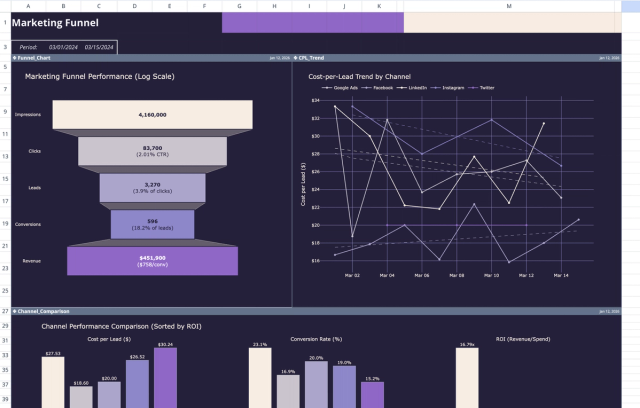
Marketing Funnel Template: Analytics & ROI Dashboard
Analyze marketing performance data through interactive charts and a detailed report.
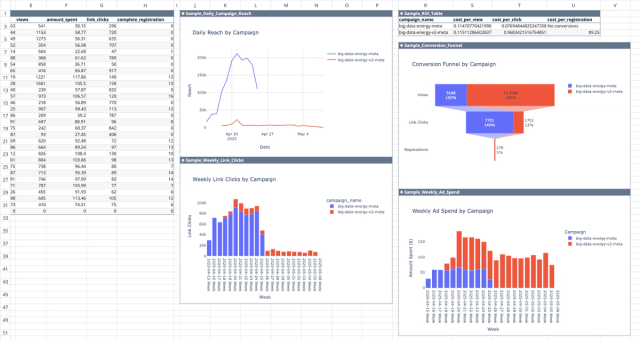
Meta Ads API Analytics Template
Get better insights from your Facebook ad campaigns with direct integration with the Meta Ads API.
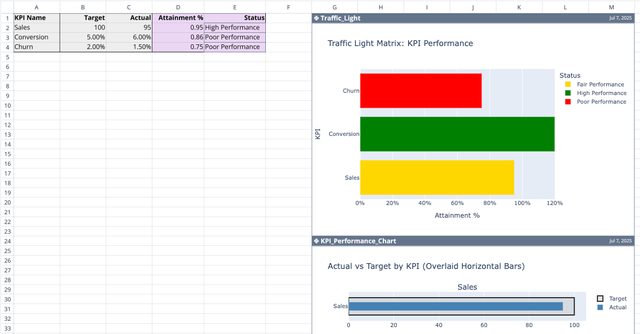
KPI Calculator and Tracking Template
Automate performance metrics and visualize attainment.
