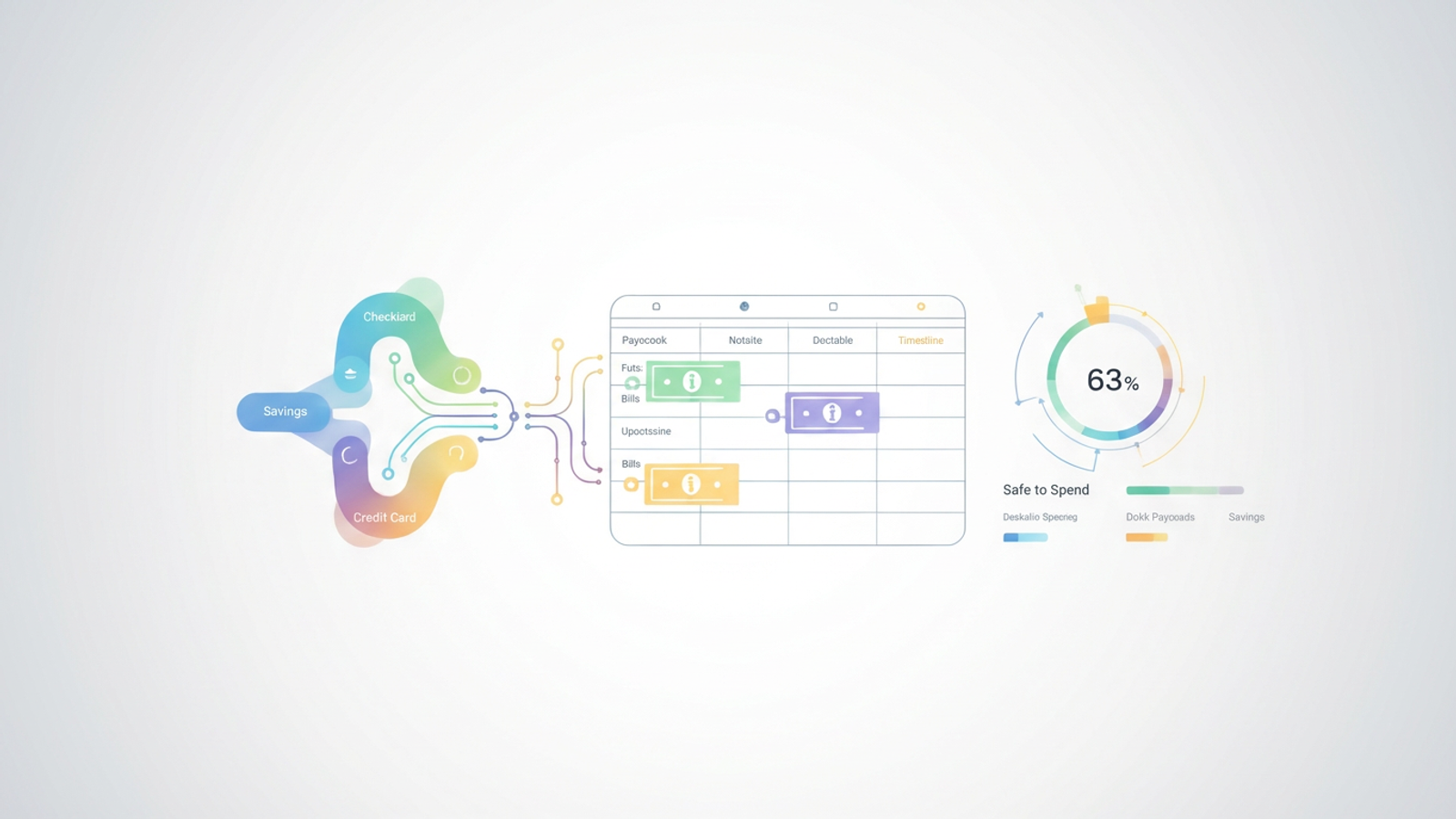
You likely have a general idea of your monthly expenses. You know roughly how much rent, groceries, and utilities cost. Yet, despite having "enough" money on paper for the month, you might still feel a spike of anxiety when a large bill lands a few days before payday. This common stressor is rarely a result of overspending; it is a result of a timing mismatch that can have a significant impact on income payment timing and financial shortfalls. This is where a dedicated paycheck budget planner becomes essential.
A paycheck budget planner is more than just a list of debts and income; it is a cash flow management system designed to align your income timing with your obligation due dates. While many people start their journey looking for static personal finance templates or a rigid mobile app, the most effective solution often combines the best of both worlds: a flexible, spreadsheet-based canvas that syncs with real-time financial data.
By moving your finances into Quadratic, you can build a workflow that maps paycheck dates to specific obligations, calculates exactly what is safe to spend, and automates the tracking process so you never have to manually enter a transaction again.
Why "budget by paycheck" beats monthly planning
Standard financial advice often points to monthly frameworks, such as the 50/30/20 rule, which suggests allocating 50% of income to needs, 30% to wants, and 20% to savings. While categorization is a necessary first step, it fails to address the "when." A monthly budget treats your bank account as a bucket that fills up and drains over 30 days, ignoring the reality that bills have specific due dates and paychecks arrive at specific intervals.
This is why a budget by paycheck planner is superior for cash flow management. It breaks the month down into manageable micro-cycles. For example, if you are paid every other Friday, a bi weekly paycheck budget planner allows you to see exactly which bills must be covered by the September 1st paycheck versus the September 15th paycheck. This granularity reveals potential liquidity crunches that a monthly overview would hide, ensuring you have cash available exactly when a bill is autopaid.
The problem with static PDF templates
When trying to get organized, the impulse is often to search for a paycheck budget planner free PDF or a static Excel sheet. These tools are popular because they are accessible and provide a sense of immediate structure. However, they suffer from a critical flaw: they are disconnected from reality.
A static paycheck budget planner template is only accurate the moment you fill it out. The second you buy coffee, pay a toll, or have an unexpected medical expense, the PDF becomes obsolete. This creates friction. To keep the budget accurate, you must manually log every receipt and update every cell. This manual entry is tedious, prone to human error, and often leads to people abandoning the budget entirely after a few weeks.
The modern solution is a "connected planner." By using a platform like Quadratic, you can maintain the visual flexibility of a spreadsheet while leveraging the power of an app that connects directly to your financial institutions.
How to build an automated paycheck budget (step-by-step)
The best paycheck budget planner is one that reduces administrative work while increasing clarity. By utilizing Quadratic’s ability to connect to live data sources and run Python or SQL directly in the grid, you can build a system that manages itself. Here is the workflow for setting up an automated budget.
1. Sync your accounts (don’t type manually)
The foundation of an accurate budget is accurate data. In a traditional spreadsheet, you would have to download CSV files from your bank or type in transactions one by one. In Quadratic, you can connect directly to your data sources, such as checking accounts, savings accounts, and credit cards.
By pulling in your transaction history automatically, you eliminate the "retrospective chore" of budgeting. You aren't guessing what you spent on groceries last week; the data is already in the grid, categorized and ready for category spend analysis. This provides a source of truth that static templates cannot match.
2. Map paycheck dates to obligations
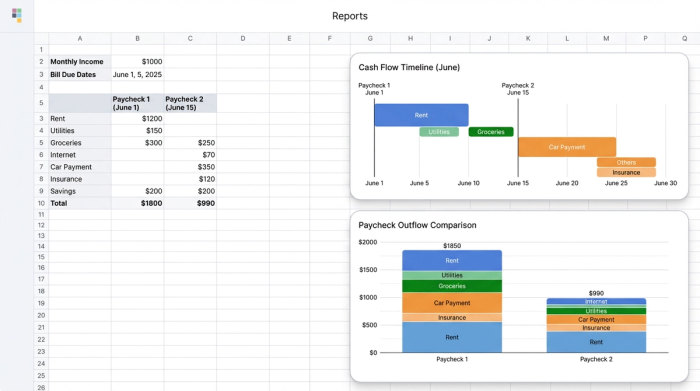
Once your data is live, the next step is to visualize your cash flow timeline. In your spreadsheet, you can set up columns representing each pay period rather than a generic month.
For each pay date, list the fixed expenses, such as recurring charges, that are due before the next paycheck arrives. For example, if you are paid on the 1st and the 15th, your mortgage (due on the 5th) must be assigned to the paycheck from the 1st. Your internet bill (due on the 20th) is assigned to the paycheck from the 15th. This visual mapping bridges the timing gap, turning your budget into a forward-looking forecast. You can clearly see if one pay period is overloaded with bills while another is relatively light, allowing you to adjust payment dates or savings transfers to smooth out cash flow.
3. Calculate your "safe to spend" number
The ultimate goal of this workflow is to determine your "Safe to Spend" number. This is a calculation, not a guess. By taking your paycheck amount and subtracting all the fixed bills and debt payments assigned to that period, you are left with a specific amount available for variable spending (groceries, dining, gas).
This approach pivots the psychology of budgeting from restriction to permission. Instead of worrying about every purchase, you know exactly how much money is available for discretionary spending without impacting your ability to pay bills.
Automating the maintenance: from planning to tracking
Most paycheck budget planner apps force you into a rigid interface where you can’t customize the logic. Conversely, traditional spreadsheets offer customization but lack automation. Quadratic bridges this gap.
Once you have established your "Safe to Spend" number, the system can track it in real-time. As new transactions post to your connected credit cards or bank accounts, Python scripts running within the Quadratic sheet can automatically categorize them and deduct them from the current pay period’s available balance.
If you spend $100 on groceries on a Tuesday, your dashboard updates instantly. You don't need to wait until the end of the month to see if you stayed on track. You can open your planner and see that your "Safe to Spend" number has dropped by exactly $100. This real-time expense tracking feedback loop allows you to use a weekly spending tracker to make micro-adjustments throughout the week, ensuring you never overdraw or miss a savings goal.
Conclusion: a system that grows with you
The search for the best paycheck budget planner often leads people down a path of colorful PDFs and rigid mobile apps that don't quite fit their lives. However, the most effective tool is one that reflects your actual bank reality and adapts to your specific income schedule.
By moving away from static templates and building a connected, automated workflow in Quadratic, you gain clarity on your cash flow and eliminate the stress of timing mismatches. You stop wondering if you can afford a bill and start knowing exactly where every dollar is going—automatically.
Use Quadratic to do paycheck budget planning
- Sync all financial accounts automatically: Eliminate manual data entry by connecting directly to banks and credit cards for real-time transaction history.
- Map income to specific obligations: Visually assign bills and expenses to individual paychecks to prevent timing mismatches and liquidity crunches.
- Calculate a precise "safe to spend" amount: Automatically determine how much discretionary money is available for each pay period after accounting for fixed expenses.
- Automate expense tracking and categorization: Use Python scripts within the spreadsheet to instantly categorize new transactions and update your available balance.
- Gain real-time cash flow clarity: See exactly where every dollar is going and make immediate spending adjustments, preventing overspending or missed savings goals.
- Build a flexible, adaptable budget: Combine the power of live data and automation with the customizable canvas of a spreadsheet, tailored to your unique income schedule.
Ready to take control of your cash flow? Try Quadratic.
