Table of contents
For many operations managers and consultants, the end of the month signals the start of a tedious, high-stakes ritual: client billing. This process often involves gathering dozens of service logs, timesheets, invoices, and other financial statements saved as PDFs and manually transcribing that data into a spreadsheet for final calculation. This manual approach is slow, prone to human error, and incredibly frustrating, especially when considering the average cost of manual invoice processing can be as high as $12-$18 per invoice.
Standard copy-paste methods usually destroy table structures, requiring hours of reformatting. Even worse, generic "PDF to spreadsheet" conversion tools frequently fail when they encounter complex layouts or redacted information. When a tool tries to read a blacked-out line of text, it often outputs garbage characters that ruin the dataset.
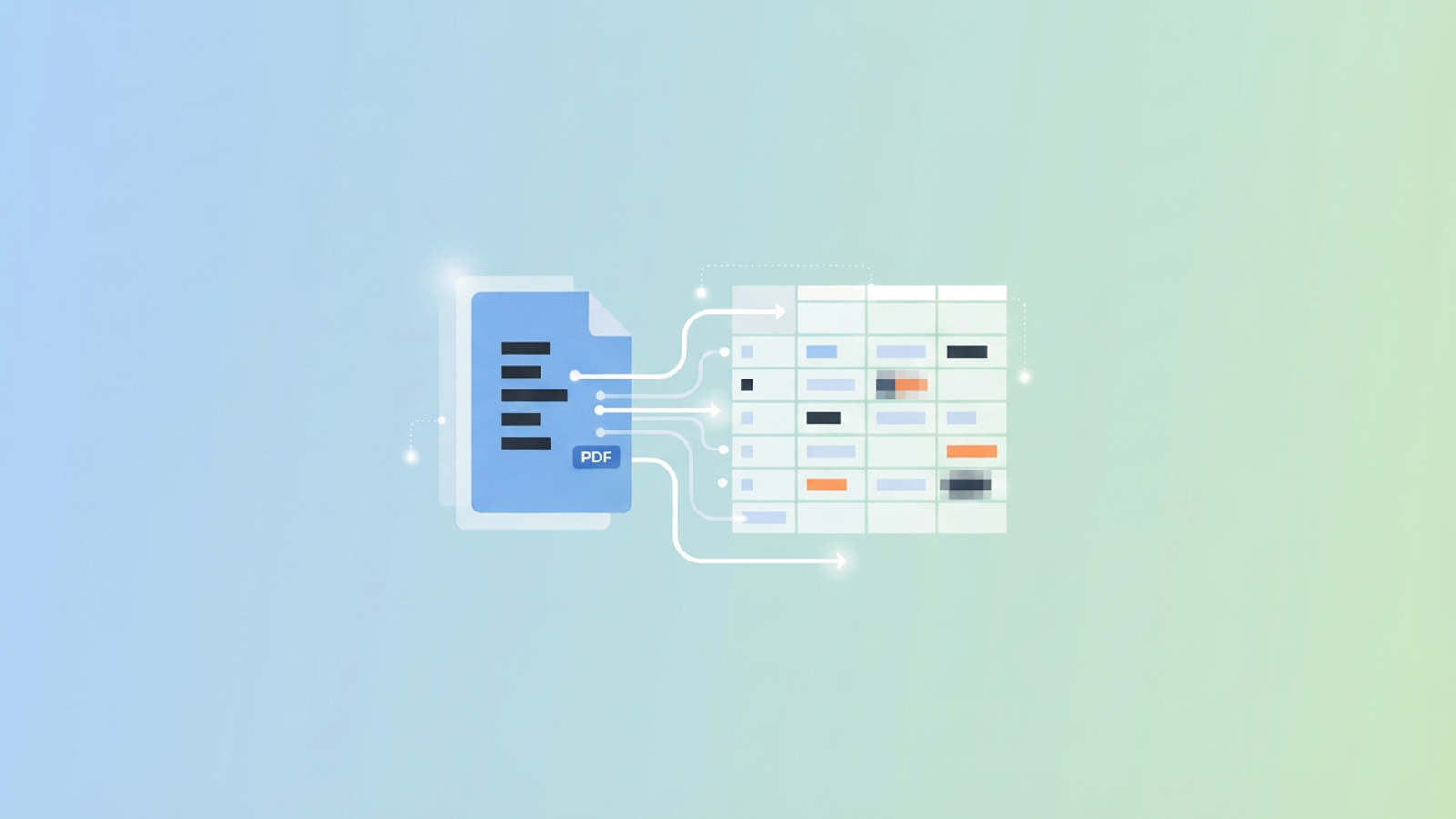
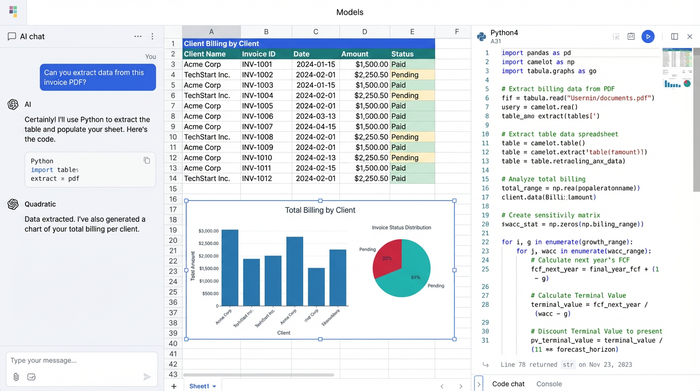
Quadratic offers a different solution for Image and PDF Data Extraction in Quadratic. By combining the familiarity of a spreadsheet with the power of integrated Python, you can automate the extraction of messy data from PDFs without needing to be a software developer. This approach allows you to turn a chaotic folder of documents into a clean, accurate client bill in a fraction of the time.
The challenge: Why standard tools fail at complex billing
Legal and consulting billing is unique because it relies on more than just simple numbers. A proper invoice requires precise dates, professional initials, detailed service descriptions, and exact hours worked. When these elements are trapped inside a PDF, extracting them becomes a significant technical hurdle.
The biggest roadblock is often redaction. In legal and medical workflows, documents are frequently sanitized to protect sensitive information before they are processed for billing. Standard OCR (Optical Character Recognition) tools struggle with this. When they encounter a black redaction bar, they may interpret it as a graphic, a line break, or a string of nonsensical symbols. This turns the client bill into a jumbled mess that requires manual cleanup, defeating the purpose of automation.
Formatting is the second major issue. Generic converters often merge columns incorrectly or split multi-line service descriptions into separate rows. This destroys the logical structure of the data. If a description like "Reviewing case files and correspondence" is split across three rows, the hours worked column no longer aligns with the task. Fixing this manually to ensure the correct billing format for client presentation can take longer than typing the data out from scratch.
Finally, most tools lack an audit trail. When you upload a file to a web converter and get a CSV back, you have no way of knowing how the machine made its decisions. If a number looks wrong, you have to cross-reference the entire document manually.
The Quadratic approach: Python power in a spreadsheet interface
Quadratic solves these problems by allowing you to use developer-grade tools within a user-friendly grid. You do not need to be a coder to leverage this power. Instead of relying on a black-box converter, you can use Python libraries like Pandas or PDFPlumber directly in a spreadsheet cell to read the document structure exactly as it exists.
This approach also addresses a critical concern for professional services: data privacy. Many free online conversion tools require you to upload sensitive documents to a third-party server, which poses a significant security risk. In Quadratic, the code runs in a secure environment. This effectively respects a "client bill of rights" regarding data privacy, ensuring that sensitive information remains under your control throughout the extraction process.
This workflow is not limited to legal firms. It is equally powerful for handling hospital billing for client records where HIPAA compliance is a factor, or for logistics teams managing 3PL WMS billing for storage picking shipping clients who need to convert complex manifests into invoices.
Step-by-step: From PDF to clean billing table
The following workflow illustrates how a real user leverages Quadratic to automate their billing cycle.
1. Ingesting the documents
The process begins by bringing the source data directly into the workspace. In Quadratic, you can drag and drop a PDF file directly into the grid. The file is not just a link; it lives within the spreadsheet. This keeps your source material right next to your data, eliminating the need to toggle between a PDF viewer and your spreadsheet window.
2. Extracting the core data
Once the file is in the grid, you can use a small snippet of Python to pull specific fields. Unlike Excel's native import, which guesses where columns start and stop, Python allows you to define exactly what you are looking for. You can instruct the script to identify the "Transaction Date," "Professional Initials," and "Hours Worked" columns based on their X and Y coordinates on the page. This ensures that even if the PDF layout is dense, the data is extracted into the correct columns.
3. Handling redactions and messy text
This is where the Quadratic workflow outperforms standard tools. Redacted text often creates "noise" in the data. With Python, you can write simple logic to handle these artifacts. For example, you can tell the script: "If you encounter a black block or a string of unreadable characters, label this cell as 'Redacted' and move to the next valid entry."
This filtering capability ensures that the final dataset is clean. You capture the fact that work was done and documented, without letting the redacted content break the structure of your table.
4. Formatting for the final invoice
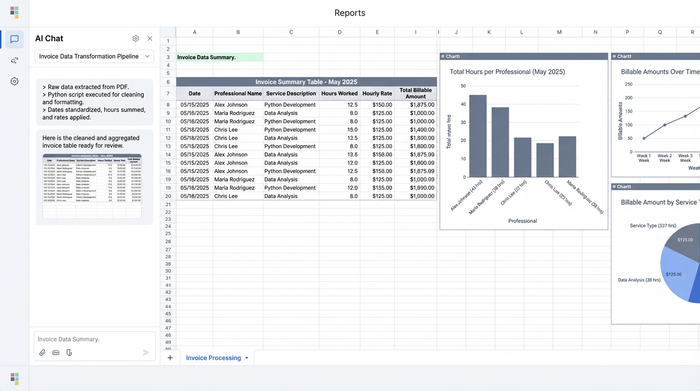
After extraction, the data sits in a raw frame (a DataFrame). The final step is consolidating this into a polished table. You can use Python to standardize the date formats (ensuring every entry reads MM/DD/YYYY) and sum the hours worked automatically. This guarantees a consistent billing format for client review, reducing the chance that an invoice is rejected due to clerical errors.
Validating the data (the audit trail)
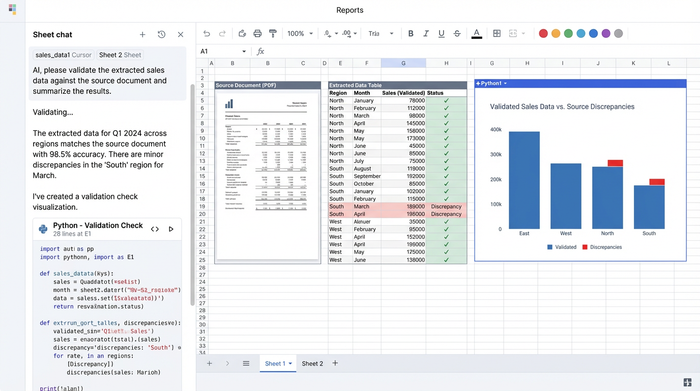
One of the most valuable aspects of this workflow is the immediate feedback loop. Because the PDF file and the extracted data table exist in the same view, validation is instant. You can look at the row in your spreadsheet and glance immediately at the source document to the left to verify the figures.
This visibility acts as an audit trail. You can see the code that extracted the data, and you can see the source material. This transparency ensures high accuracy in client billing, significantly reducing the risk of disputes or under-billing due to lost hours.
Beyond legal: Who else needs this?
While this workflow is a game-changer for legal professionals, the ability to parse complex, messy PDFs is valuable across many industries, including for corporate travel data analytics.
In the healthcare sector, administrators often struggle with hospital billing for client reimbursements. These documents contain mixed data types and sensitive patient info that cannot be processed by public AI tools. Quadratic allows these teams to parse the data locally and securely.
Managed Service Providers (MSPs) also face similar challenges. Aggregating technical logs from a DMARC platform with per-client billing for MSPs can be a headache when the data comes in static reports. Quadratic can ingest these reports and output a consolidated usage invoice.
Logistics companies dealing with 3PL WMS billing frequently need to turn shipping manifests and picking logs into invoices, and the same principles apply to a procurement process assessment. These documents are often lengthy and filled with formatting irregularities that break standard importers, but they are easily handled with the granular control Python offers.
Conclusion
Automating client billing data extraction transforms a process that used to take hours into a task that takes minutes. By moving away from manual transcription and brittle conversion tools, you eliminate errors and free up valuable time for high-level analysis.
Quadratic provides the unique ability to handle messy, redacted, and complex documents without forcing you to leave the spreadsheet interface. It gives operations managers the power of code with the simplicity of a grid. If you are tired of fighting with PDFs at the end of every month, try importing your first document into Quadratic and experience the difference in speed and accuracy.
Use Quadratic to automate client billing
- Automate data extraction from messy client billing PDFs—including service logs, timesheets, and invoices—without needing to write code.
- Accurately extract specific fields like transaction dates, professional initials, service descriptions, and hours worked, even from complex or dense document layouts.
- Intelligently handle redacted information, preventing corrupted data and ensuring clean outputs by tagging these sections instead of generating nonsensical characters.
- Preserve original table structures and prevent common formatting errors like incorrectly merged columns or split multi-line descriptions.
- Provide an immediate audit trail by keeping source PDFs and extracted data in the same view, allowing instant validation of figures against the original document.
- Process sensitive client data securely within a controlled environment, eliminating the risk of uploading confidential information to third-party web converters.
Stop fighting with PDFs at the end of every month. See how easy it is to Try Quadratic.
