
December and January brought a mix of major product improvements and polish across Quadratic. We introduced a direct Google Analytics connection, added rich text and hyperlinks in cells, improved onboarding for new users, and continued refining synced connections, AI chat, and overall spreadsheet performance.
Google Analytics connection
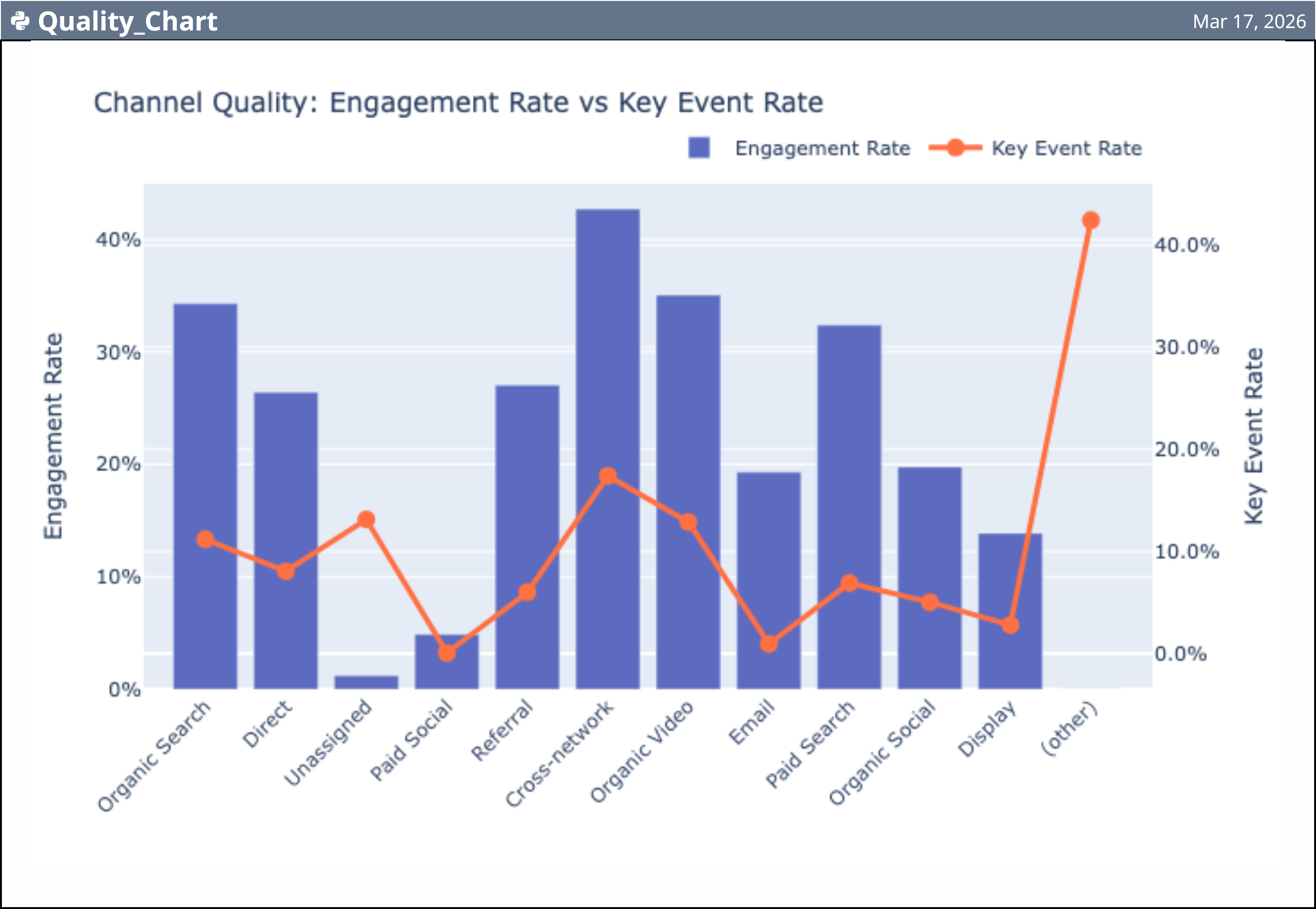
You can now connect Google Analytics directly to Quadratic and pull analytics data into your spreadsheet for deeper analysis. This makes it easier to work with multiple streams and tables in one place, while keeping synced data and logging fully supported.
For teams building dashboards, exploring traffic patterns, or combining analytics data with other business metrics, this creates a much smoother workflow from raw data to analysis.
Rich text and hyperlinks
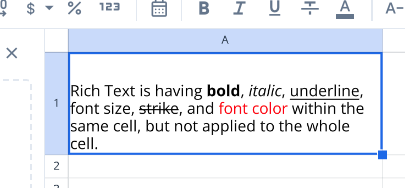
Cells now support rich text formatting and clickable hyperlinks. You can add, edit, and style links directly inside cells, making spreadsheets more interactive and easier to navigate.
This is especially useful for documentation, linked resources, notes, and workflows where a spreadsheet needs to function as both an analysis tool and a collaborative workspace.
More formulas
We added a large set of new formulas across financial, date and time, and utility categories. This includes expanded financial support such as COUP functions, IRR, and NPV variants, along with additional helpers for more advanced spreadsheet workflows.
These additions make Quadratic more capable for finance models, planning sheets, and other use cases that depend on deeper spreadsheet functionality.
Faster performance
We shipped several performance improvements during January to make large spreadsheets feel smoother and more responsive. This includes faster bounds calculation, better viewport-based rendering, and optimized fill operations.
The result is a quicker editing experience, especially in larger files and more complex sheets.
Better onboarding for new users
New users are now guided more directly into creating their first file after onboarding, reducing friction and making it faster to start using Quadratic right away.
We also introduced a feature walkthrough for new users that highlights some of the most important parts of the product, including the infinite canvas, live data connections, scheduled tasks, and AI-powered assistance. The walkthrough can be skipped at any time and is disabled on mobile.
Synced connections improvements
We made several upgrades to synced connections in January. Semantic layers are now supported for Google Analytics, Mixpanel, and Plaid connections, and the sync experience has been improved with clearer state indicators, better status visibility in the code editor, and more helpful error messaging.
We also fixed a number of connection-related issues to make syncing more reliable overall.
AI chat and thinking improvements
We continued refining the AI experience in Quadratic. AI thinking is now cleaner and more streamlined, while still preserving useful context in chat history so it is easier to follow along with the reasoning process.
We also improved formatting behavior in AI chat when working with multiple selected cells, and fixed several bugs related to AI connections and tool calls.
Connections list improvements
The connections list has been redesigned with improved styling, better responsiveness, and a more intuitive layout. Managing data sources should now feel cleaner and easier, especially for users working with multiple connections.
In-app changelog viewer
We also added an in-app changelog viewer so you can see product updates directly inside Quadratic, along with improvements to settings menu navigation.
Free team file limits
Free teams can now edit up to 5 files. Once that limit is exceeded, additional files become read-only and show an option to upgrade. We also added clearer banners and prompts so teams can understand when the limit has been reached.
Bug fixes
We shipped a wide range of bug fixes and stability improvements across December and January, including fixes for formula autocomplete, rich text rendering, file history navigation, hyperlink behavior, checkpoint accuracy, synced connection handling, table deletion edge cases, and build reliability.
