
March brought major improvements across connections, sharing, AI, and spreadsheet workflows in Quadratic. We launched a new QuickBooks connection, added support for images in spreadsheets, introduced embeddable spreadsheets and guided Recipes, and continued making AI more reliable and more helpful across complex tasks.
QuickBooks connection
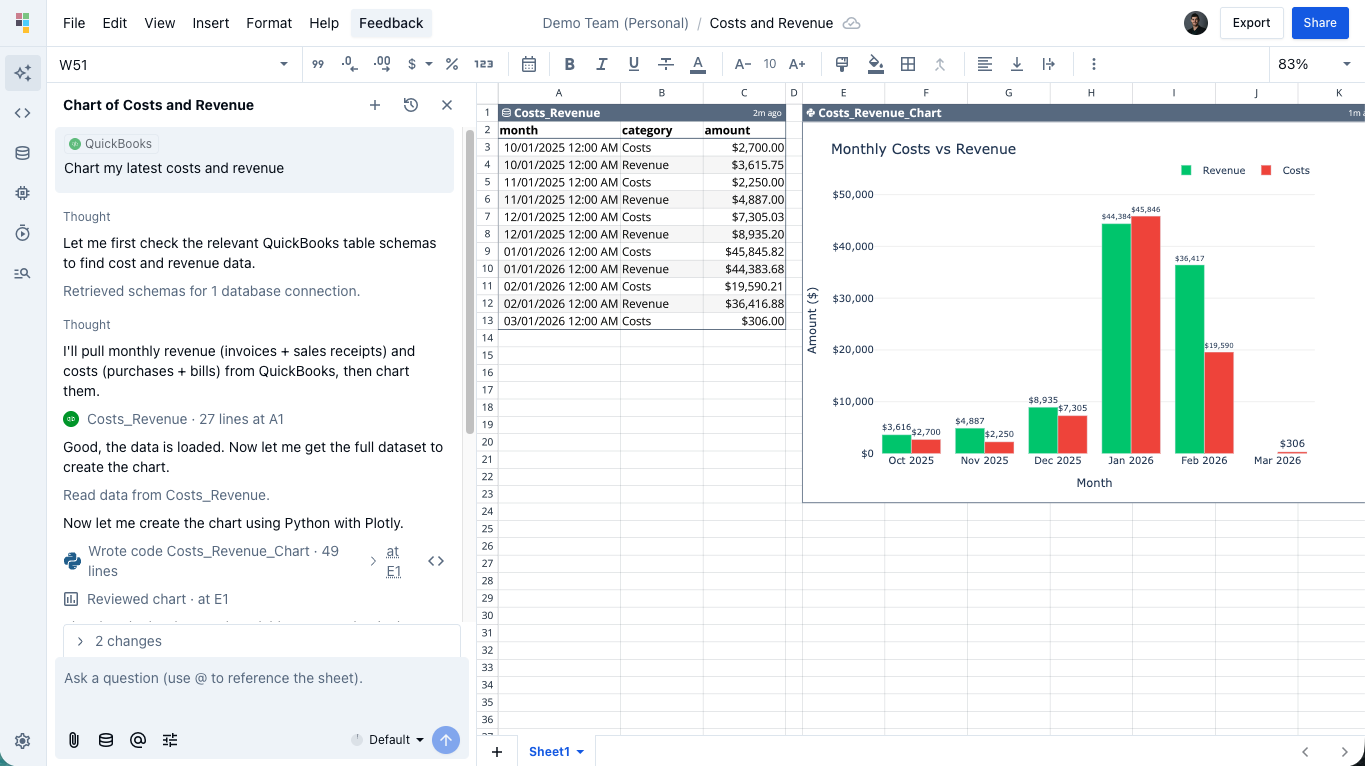
You can now connect QuickBooks Online directly to Quadratic and sync your accounting data into the spreadsheet.
The QuickBooks connection supports 28 entity types, including invoices, customers, vendors, payments, accounts, bills, items, employees, and more. The connection uses OAuth for secure account linking, and snapshot-based sync makes it easy to work with current accounting data inside Quadratic.
This gives finance teams, operators, and business owners a much easier way to analyze accounting data, build reports, and combine QuickBooks data with other sources in one place.
Images in spreadsheets
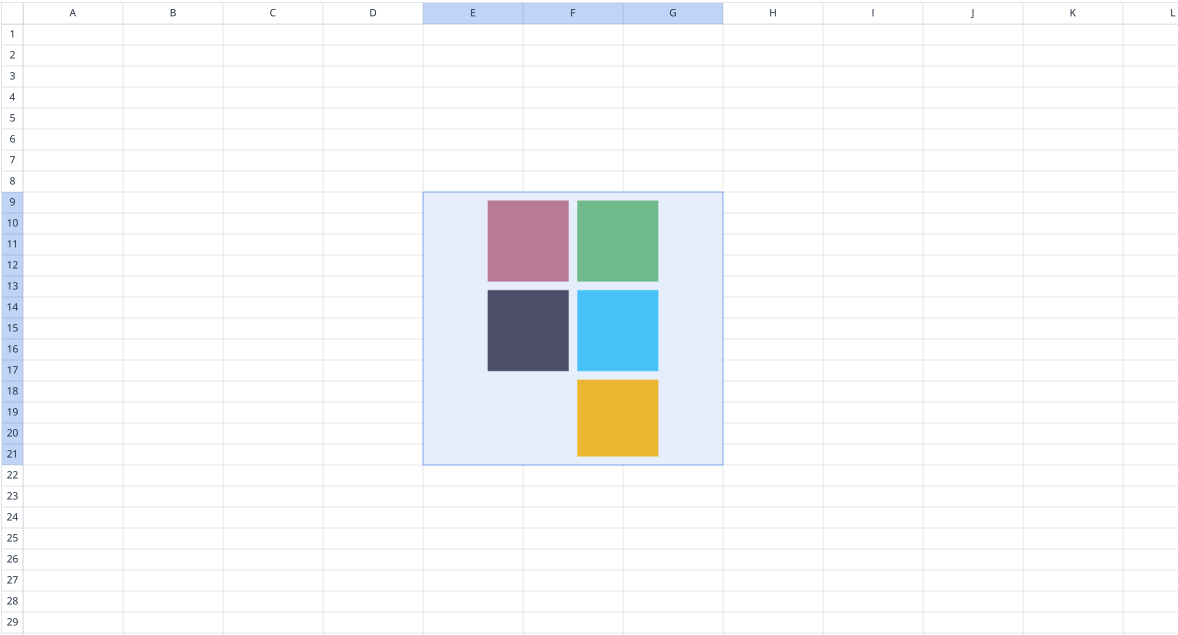
You can now insert images directly into your spreadsheet.
Images can be added by dragging files onto the grid, pasting from the clipboard, or inserting from a URL. Once inserted, images can be resized, moved around the sheet, and managed through a context menu with actions like cut, copy, paste, rename, and delete. Large images are automatically scaled to fit more cleanly in the spreadsheet.
This makes it easier to build richer dashboards, reports, and collaborative workspaces that combine data and visual context in the same file.
Embeddable spreadsheets
Quadratic spreadsheets can now be embedded directly into external websites and applications using iframes.
Each file can be shared through a dedicated embed URL, and the Share dialog now includes embed code generation to make publishing easier. Embedded spreadsheets support configurable settings, a blank presentation mode for cleaner views, and even code editor support within the embedded experience. Viewers can also jump into the full editor with an Edit in Quadratic button.
This makes it much easier to share interactive spreadsheets publicly, embed live analysis into product experiences, or publish dashboards beyond Quadratic itself.
Recipes
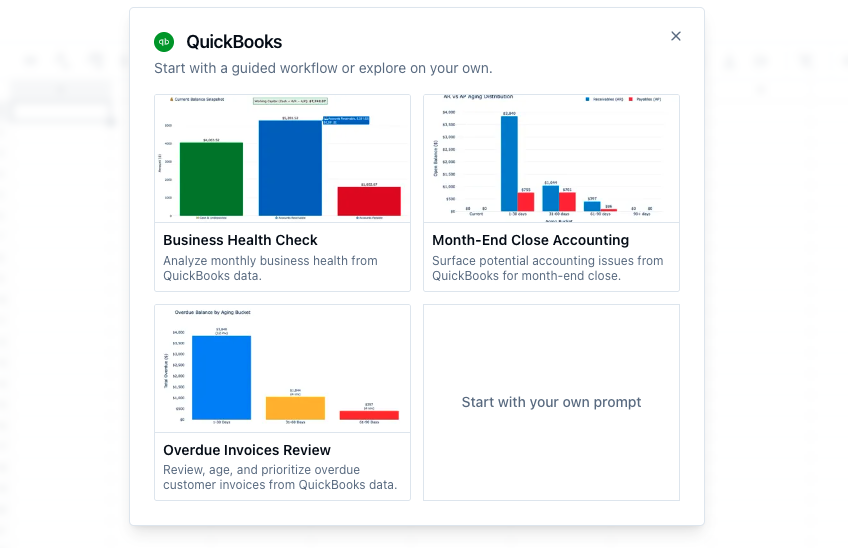
We introduced Recipes, a new guided way to get started with common connection setups and workflows.
Instead of starting from scratch, users can choose a recipe to follow a more structured path with pre-built templates for popular data sources and use cases. Recipes are designed to make it faster to get from connection setup to a useful spreadsheet, especially for users who want a more guided starting point.
This helps reduce setup friction and gives users a faster path to useful dashboards, reports, and analyses.
Better AI models and prompting
We made a number of important AI improvements throughout March.
AI can now make partial edits to existing code cells instead of rewriting entire cells, making changes more targeted and less disruptive. It also automatically inspects chart outputs to improve chart quality, and prompt suggestions now appear inline in AI responses.
We also continued improving model behavior and naming. GPT was updated to 5.4, the default model shifted to stronger reasoning behavior with Opus, and Auto was renamed to Default for better clarity in the model selector.
Behind the scenes, we improved follow-up handling, queueing behavior, schema caching, prompt construction, and context gathering to make AI more reliable across follow-up requests, multi-range workflows, and more complex tasks.
Formula references follow moved cells
When cells are moved with cut and paste or drag-and-drop, formula references now update automatically to reflect the new location.
This works across formulas, Python using q.cells, JavaScript using q.cells, and connection references, helping spreadsheets stay correct even as layouts change. It is a significant quality-of-life improvement for anyone reorganizing complex files.
Restore sheet state
A new setting now lets you reopen files exactly where you left off.
When enabled, Quadratic saves your current sheet, cursor position, and viewport locally, so returning to a file feels more seamless. This setting can be enabled in General Settings under Restore sheet when reopening files.
Team invite links
Team owners can now generate shareable invite links to bring new members into a team more quickly.
Invite links can be created from the Share dialog, and anyone with the link can join directly without manual approval. Team owners can also regenerate or disable links at any time.
This makes team onboarding faster and reduces friction when setting up collaborative workspaces.
Billing and AI spending controls
We made several improvements to billing and cost visibility in March.
Team billing settings now show Stripe invoice history and upcoming invoices, including dates, amounts, statuses, downloadable PDFs, and support for canceling scheduled downgrades directly from the billing UI.
We also introduced AI spending limits for overage usage. When enabling AI overages, users now need to set a dollar-denominated spending cap, with support for fractional amounts and a minimum limit of $1. This creates a clearer and safer way to manage AI costs.
Table and spreadsheet improvements
March included a wide range of improvements to tables and spreadsheet behavior.
We fixed text clipping and first-column display issues, improved rich text rendering in tables, improved autocomplete for table names and columns, added a menu option for data validations, and improved recovery from mismatched column types during sync.
We also fixed table expansion on paste, cleaned up table context menu behavior, and continued improving general spreadsheet correctness, including formula editing, multiple row and column insertion, text formatting behavior, and code cell rendering.
Plaid and synced connection improvements
We shipped a few notable reliability upgrades for connections in March.
For Plaid, we added min_last_updated filtering for balance queries so stale balance data can be filtered out more effectively. For synced connections more broadly, we fixed Parquet schema conflicts by automatically reconciling mismatched schemas across batches, preventing sync failures with more complex data sources.
These changes make synced data more dependable and reduce friction when working with evolving external data.
Performance, deployment, and stability improvements
A lot of March was also spent improving reliability across the app.
We fixed stale asset and chunk loading issues after deployments, improved how the app recovers from chunk load errors, and made deployment upgrades more resilient. We also improved build stability, tightened security across infrastructure and APIs, and addressed a range of bugs affecting multiplayer, analytics, imports, scheduled tasks, billing, and AI workflows.
These changes are less visible than new features, but they make Quadratic feel more dependable day to day.
Bug fixes
We shipped a wide range of bug fixes and stability improvements throughout March, including fixes for AI chats, CSV import edge cases, analytics tracking, scheduled tasks, formula references, multiplayer room crashes, table rendering, and deployment-related issues.
