Explore pre-built financial templates
Take your International Business Machines revenue analysis further with ready-to-use Quadratic templates designed for investors and analysts.
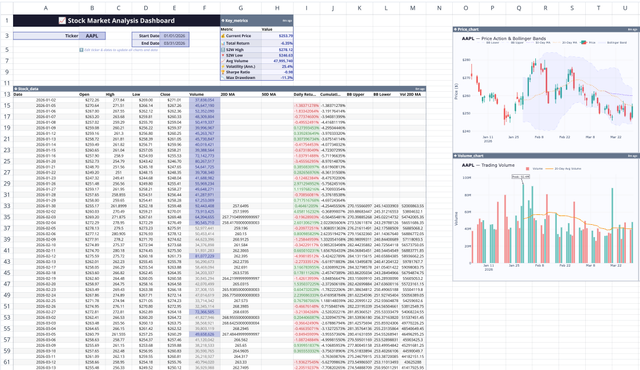
Stock Market Analysis Template
Study the markets with an interactive spreadsheet tracking any publicly traded company.
Try template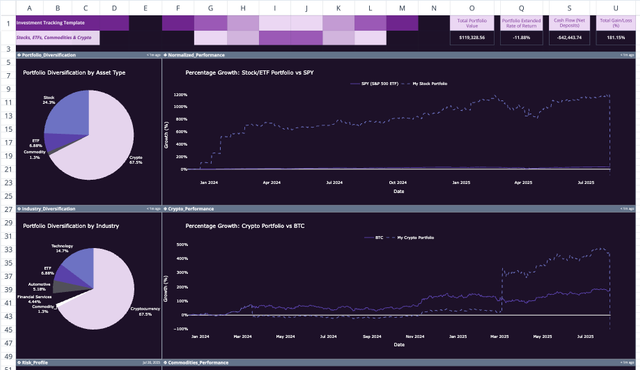
Investment Tracking Spreadsheet Template
Upgrade your investment management with advanced analytics.
Try templateIBM Financial Analysis FAQs
How can I analyze IBM financial data with AI?
You can use Quadratic to analyze International Business Machines (IBM) financial data by scraping online sources, connecting live API data, and asking AI natural-language questions about revenue, earnings, growth, or valuation. Quadratic instantly visualizes and explains IBM's financial trends without leaving the spreadsheet.
Can I forecast International Business Machines's future performance?
Yes. Quadratic helps you forecast IBM's future revenue, margins, or stock performance using Python-powered modeling. You can pull live financial data, apply predictive formulas, and generate visual projections of International Business Machines's potential growth directly inside your Quadratic workbook by just asking the AI.
What live data can I pull for IBM?
Quadratic's AI Research feature lets you pull live data from the web — including IBM's financial statements, analyst estimates, and market trends — and combine it with your own datasets, CSVs, or APIs for deeper analysis and visualization.
Can I compare IBM with competitors?
Absolutely. Use Quadratic to compare IBM against competitors in the same industry. The AI can pull comparable company data, calculate ratios like P/E or P/S, and visualize how International Business Machines's performance stacks up against the market.
How do I visualize IBM financial trends?
You can create charts and dashboards directly in Quadratic. The AI can automatically turn IBM data into graphs showing revenue growth, profit margins, valuation multiples, and more, all within the same spreadsheet.
Where does Quadratic get IBM data from?
Quadratic can connect to multiple sources — from CSV and Excel uploads to SQL databases, APIs, and web data — allowing you to gather IBM's latest financial information from trusted sources in real time.
Can I collaborate on my IBM analysis?
Yes, Quadratic supports real-time collaboration. You can invite teammates to analyze International Business Machines's financial data together, run AI-powered research, and share dashboards, all in a secure, browser-based spreadsheet.
How can I use Quadratic for ongoing IBM research?
Set up a live Quadratic sheet to track IBM over time. Use AI to refresh data from the web or connect to a public API, update forecasts automatically, and identify new financial trends as they emerge, turning your spreadsheet into a living research tool.
