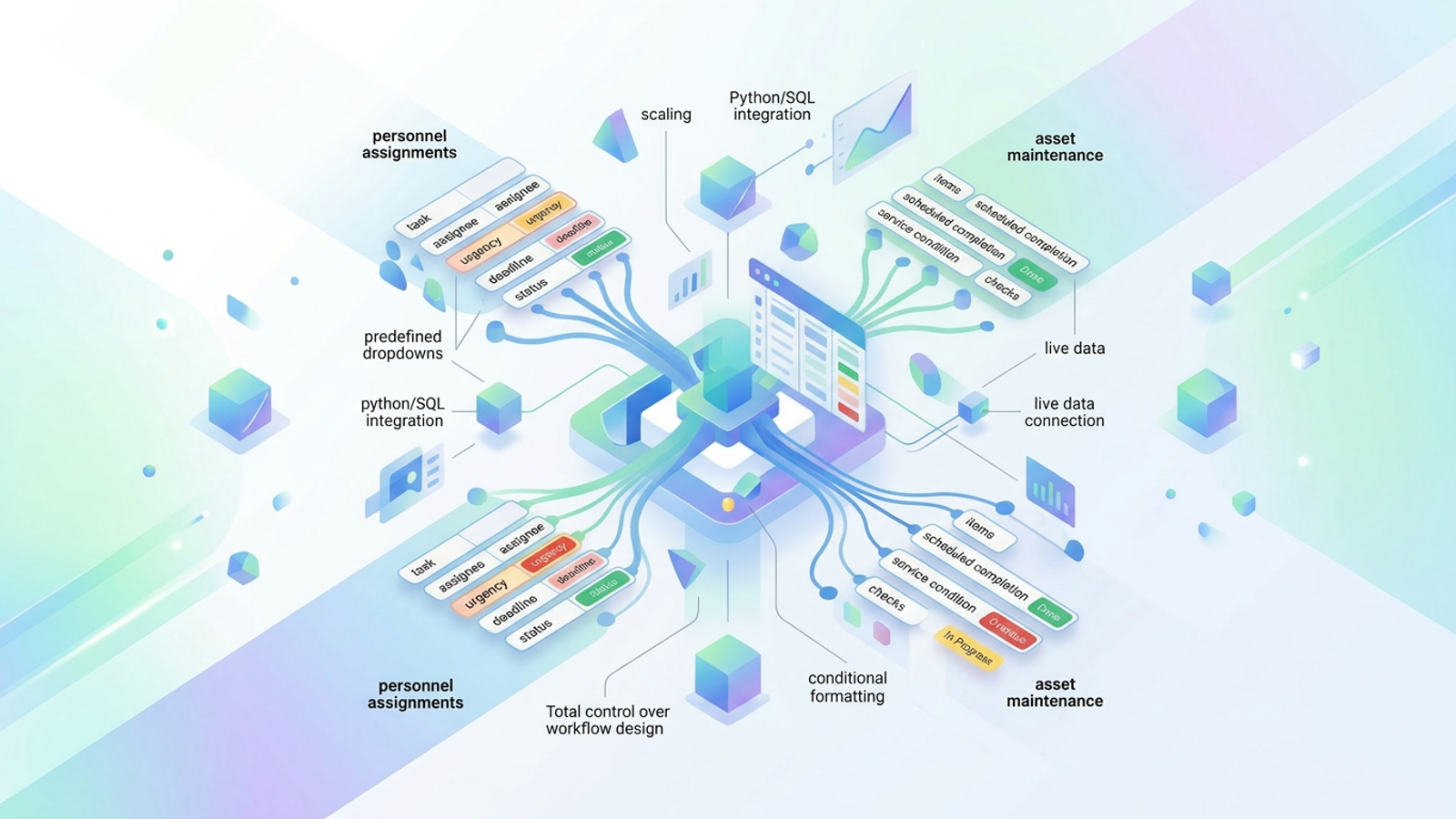
Operations professionals know the daily struggle of tracking moving parts. Whether you are managing people or physical assets, it is easy for critical details to fall through the cracks. The traditional solution usually forces a frustrating choice. When navigating the classic build vs. buy framework, teams find that basic spreadsheets quickly become messy and error-prone, while dedicated off-the-shelf operations management software is often too rigid, expensive, or bloated for their specific workflows.
The solution lies in the missing middle. By building a customized administrative tracking system in Quadratic, you can combine the flexible familiarity of a spreadsheet with the structured data controls of specialized software.
The core elements of effective workflow tracking
Before diving into the technical steps, it helps to understand the strategic side of workflow management. Whether you manage a bustling corporate office or coordinate remote field teams, effective business operations management software must handle two distinct but equally important workflows.
First, there are personnel assignments. This involves tracking who is doing what and by when, ensuring accountability across your team. Second, there is asset maintenance. Much like managing physical goods with a stock control spreadsheet, implementing structured fixed asset management and tracking allows you to monitor physical equipment, assess service conditions, and log scheduled check-ups to prevent costly breakdowns.
Ultimately, the key to operational success is not necessarily buying the most expensive software on the market; it is about designing a structured workflow based on the principles of visual management to provide clear, immediate visual oversight of these two areas.
How to build your own operations tracker in Quadratic
Now let us look at the tactical execution. Instead of adapting your team to fit a rigid tool, you can build a flexible administrative tracking system directly in Quadratic.
Recently, an operations professional used Quadratic to solve this exact problem. They needed a dual-purpose system that could manage both task assignments and physical asset maintenance in one connected environment. By leveraging structured data sets, data validation, and automated formatting, they created a powerful tracker tailored exactly to their needs. Here is how you can replicate that workflow.
Step 1: Structuring data sets for personnel and assets
The foundation of any good tracking system is clean, structured data. In Quadratic, you can easily set up dedicated columns to organize different workflows without cluttering your view.
For personnel assignments, starting with a structured productivity template allows you to easily track essential details: Task, Assignee, Urgency, Deadline, and Status.
For maintenance workflows, set up a separate area or sheet with columns for Items, Scheduled Completion, and Service Condition. By structuring your asset data with a robust inventory tracking template, your spreadsheet effectively acts as a lightweight field operations management software, giving you a clear inventory of physical assets and their current health.
Step 2: Streamlining data entry with predefined dropdowns
One of the biggest drawbacks of traditional spreadsheets is inconsistent data entry. When multiple people type into the same document, you inevitably end up with typos and varied terminology that make filtering impossible.
To solve this, our operations professional used predefined dropdowns for categorical fields. In Quadratic, you can restrict cell inputs to specific choices. For personnel tasks, you might set the Status column to only accept "Not Started," "In Progress," or "Done." For the maintenance tracker, the Service Condition column can be restricted to "Good," "Needs Repair," or "Out of Service."
These dropdowns enforce consistency across your entire dataset, aligning with fundamental principles of data integrity by eliminating manual typing errors and making data entry significantly faster for your team.
Step 3: Visual oversight using conditional formatting
Data is only useful if you can understand it at a glance. Operations managers need to know exactly what is overdue, what is broken, and what requires immediate attention. This is where conditional formatting turns a basic data grid into an automated visual dashboard.
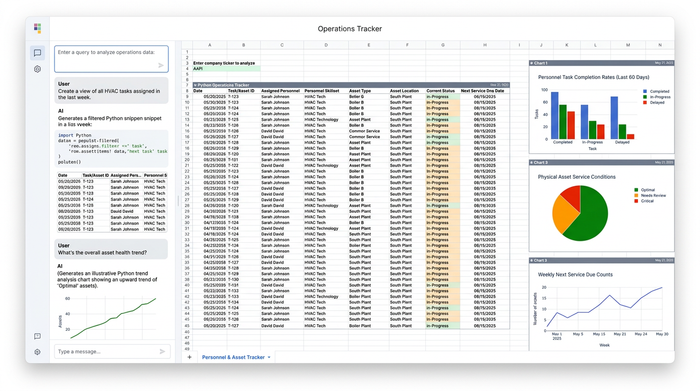
In Quadratic, you can apply rules that automatically change the color of a cell or row based on its contents. You can use this feature in three highly effective ways. First, highlight priority levels by setting rules that turn "High Urgency" rows a bold red. Second, flag current statuses so you can quickly scan the sheet to see what is blocked or actively in progress. Finally, create time-based rules to visually highlight overdue deadlines or past-due scheduled maintenance. This immediate visual feedback allows for timely intervention before a minor delay becomes a major operational roadblock.
Why Quadratic outperforms rigid operations software
By combining predefined dropdowns and conditional formatting, operations managers gain the exact visual oversight and structured data entry normally reserved for expensive enterprise tools. The difference is that Quadratic gives you total control over the workflow design. You are never locked into a vendor's predefined way of working.
Furthermore, as your operations scale, your tracking system can scale with you. While this administrative tracker relies on familiar spreadsheet features, Quadratic also supports live data connections, Python, and SQL in the same browser-based canvas. When you are ready to connect your tracker to live databases or automate complex reporting, the infrastructure is already there.
Conclusion & next steps
You do not need to choose between a messy, unstructured spreadsheet and a bloated, expensive maintenance platform. By carefully structuring your data and applying the right validation and formatting rules, you can create a highly effective system tailored to your exact needs.
With the right approach, operations management software can be as flexible as you need it to be. Start building your own custom administrative tracking system in Quadratic today and bring clarity, speed, and reliability to your daily workflows.
Use Quadratic as your custom operations management software
- Centralize dual workflows: Track personnel tasks and physical asset maintenance side by side in a single, flexible canvas without the constraints of rigid platforms.
- Enforce data integrity: Use predefined dropdowns for task statuses and equipment conditions to eliminate manual typing errors and keep your datasets clean.
- Automate visual oversight: Apply conditional formatting rules to instantly highlight overdue deadlines, blocked tasks, or machinery requiring urgent maintenance.
- Scale with live data: Pull information directly from your databases with native SQL and Python integrations, ensuring your operations tracking is always backed by real-time data.
- Collaborate in real time: Share your custom trackers with field teams and office coordinators to update tasks, log maintenance checks, and solve operational bottlenecks together.
Ready to build a tracking system that fits your team perfectly? Try Quadratic
