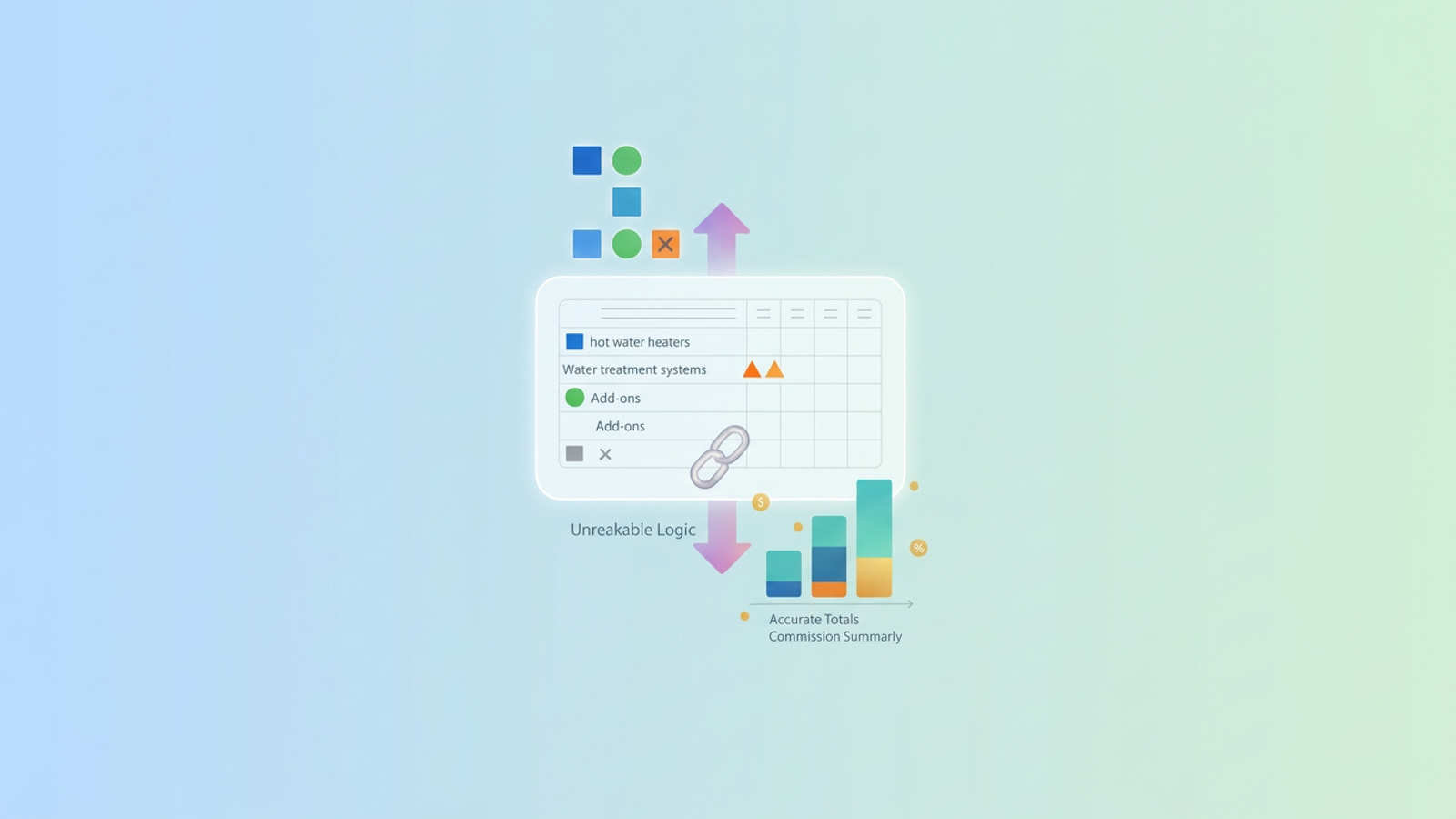
Calculating commissions is supposed to motivate your sales team and contribute to an automated sales funnel. However, updating the calculator that tracks those payouts often terrifies the person managing it. Making a simple update to a commission pricing structure, like adding a new product tier or changing a baseline rate, frequently breaks the underlying spreadsheet formulas.
You do not need to abandon spreadsheets for expensive software to fix this problem; instead, consider solutions for spreadsheet automation. We will show you how to execute flawless updates using a real-world example from a water treatment and hot water heater business using Quadratic.
The hidden risk of updating a commission pricing sheet
Traditional spreadsheets like Excel and Google Sheets are notoriously fragile when pushed beyond basic tasks. There are tangible financial risks and a real sales commission cost when these documents break. If a sales representative's payout is calculated incorrectly due to a bad formula, it creates immediate organizational friction and erodes trust between the sales team and management.
The mechanical failures behind these errors are incredibly common. When you add new rows to a commission pricing sheet to accommodate new products, it usually causes formula drift, a type of common Excel error. Rate tables become misaligned, ranges in sum formulas fail to capture the new data, and currency formatting breaks down. The result is a messy, unreliable document that requires hours of manual auditing every time the product catalog changes.
The false choice: spreadsheets vs. rigid commission software
If you search for solutions to broken commission spreadsheets, you will likely find expensive SaaS companies telling you to ditch spreadsheets entirely. They claim spreadsheets are dead and offer proprietary software as the only cure. This is a false choice. Rigid commission software is rarely the perfect answer because it lacks flexibility, a key consideration when designing human-centric incentive plans. These platforms make custom edge cases difficult to execute and often take months to implement across an organization.
Quadratic offers a modern alternative that acts as the best of both worlds. It retains the familiar, flexible grid of a spreadsheet but introduces dynamic data handling, native Python, SQL capabilities, and unbreakable logic. Your calculator scales safely without the fragility of traditional formulas, allowing you to maintain complete control over your payout structures.
Walkthrough: updating a water treatment sales commission calculator
To see how this works in practice, let us look at a real-world scenario. A water treatment and hot water heater business, like many small business operations, needs to update their sales commission pricing for the new quarter. Their ecommerce product data management needs to evolve as their product catalog is changing, and the operations manager needs to make several critical adjustments directly within the main calculator.
Their goals are clear. They need to update baseline product pricing, add new product rows, remove outdated items, and revise extra add-on pricing. Most importantly, they need to accomplish all of this without destroying the master calculator or spending hours double-checking every cell.
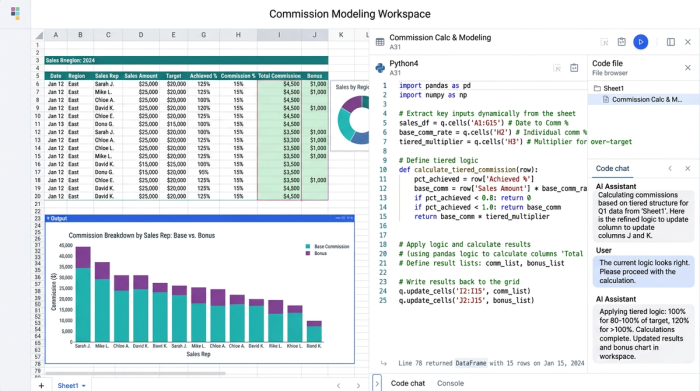
1. Safely adding new products and updating baseline pricing
The first step in the update process involves inserting new rows for the latest hot water heaters and water treatment systems. In a traditional spreadsheet, inserting a row in the middle of a dataset might exclude it from a sum range or break a lookup formula tied to a rate table.
Quadratic handles dynamic row insertions gracefully. Because Quadratic utilizes dynamic data handling, it ensures new entries are automatically included in the underlying logic. When the manager updates the baseline pricing in a central rate table, those changes seamlessly cascade down to the individual sales entries. There is no need to drag formulas down a column or worry about missed references.
2. Revising add-ons and removing outdated items
Next, the business needs to clean up the catalog by deleting obsolete products and updating the pricing for extra add-ons. Deleting rows in a standard spreadsheet is a notoriously risky move that frequently results in a cascade of reference errors across the document.
With Quadratic, data integrity is built into the workflow. Removing rows does not trigger those dreaded errors that plague traditional sheets. The calculator maintains a clean, accurate structure even when the product catalog goes through significant revisions. The manager can confidently delete outdated water softeners and update the commission rates for installation add-ons knowing the underlying logic remains completely intact.
3. Preserving accurate totals and currency formatting
The ultimate test of any commission calculator is the final output. The operations manager needs absolute certainty that the commission summaries and running totals are correct. Quadratic ensures that all the new product rows and revised add-ons are perfectly integrated into the final commission calculations.
Beyond the math, there is a significant formatting victory. Messy currency data is a common headache for operations teams. Quadratic preserves proper currency formatting across the entire column. Even as new data is added or old rows are removed, the dollar amounts remain perfectly aligned and formatted, making the final report clean and professional for the sales team to review, enhancing overall sales data visualization.
Build your next commission pricing guide in Quadratic
The water treatment business successfully updated their entire pricing structure, added and removed products, and maintained perfectly accurate commission math without a single broken cell. They achieved this by leveraging a tool designed for modern data workflows.
You do not have to choose between a fragile spreadsheet that breaks every quarter and a rigid, expensive software platform that limits your flexibility. By bringing your logic into a dynamic environment, you can eliminate the fear of updating your payout structures. Start building your next Sales Commission Calculator or commission pricing guide in Quadratic to experience the power, speed, and reliability of a truly modern AI spreadsheet. Master your commission pricing today and give your operations team the peace of mind they deserve.
Use Quadratic to update commission pricing flawlessly
- Safely update commission rates, add new product tiers, or remove old items without breaking underlying formulas or risking formula drift.
- Automatically include new products and sales data into calculations, eliminating manual adjustments and ensuring accuracy.
- Ensure accurate commission payouts and preserve proper currency formatting, building trust with your sales team.
- Maintain complete control and flexibility over complex payout structures, avoiding the rigidity of dedicated commission software.
- Eliminate hours of manual auditing and double-checking after every pricing or product catalog change.
Stop fearing commission sheet updates and gain confidence in your payouts. Try Quadratic today.
