It is a scenario that happens to even the most financially disciplined people. You have a budget, and on paper, your income exceeds your expenses. Yet, three days before payday, you check your bank account and find yourself dangerously close to zero—or worse, in the red.
The problem isn't usually that you are spending too much; it is that standard budgeting tools tell you how much you spend, but they rarely tell you when those transactions hit. A monthly budget is a static snapshot, but your bank account is a dynamic, daily reality.
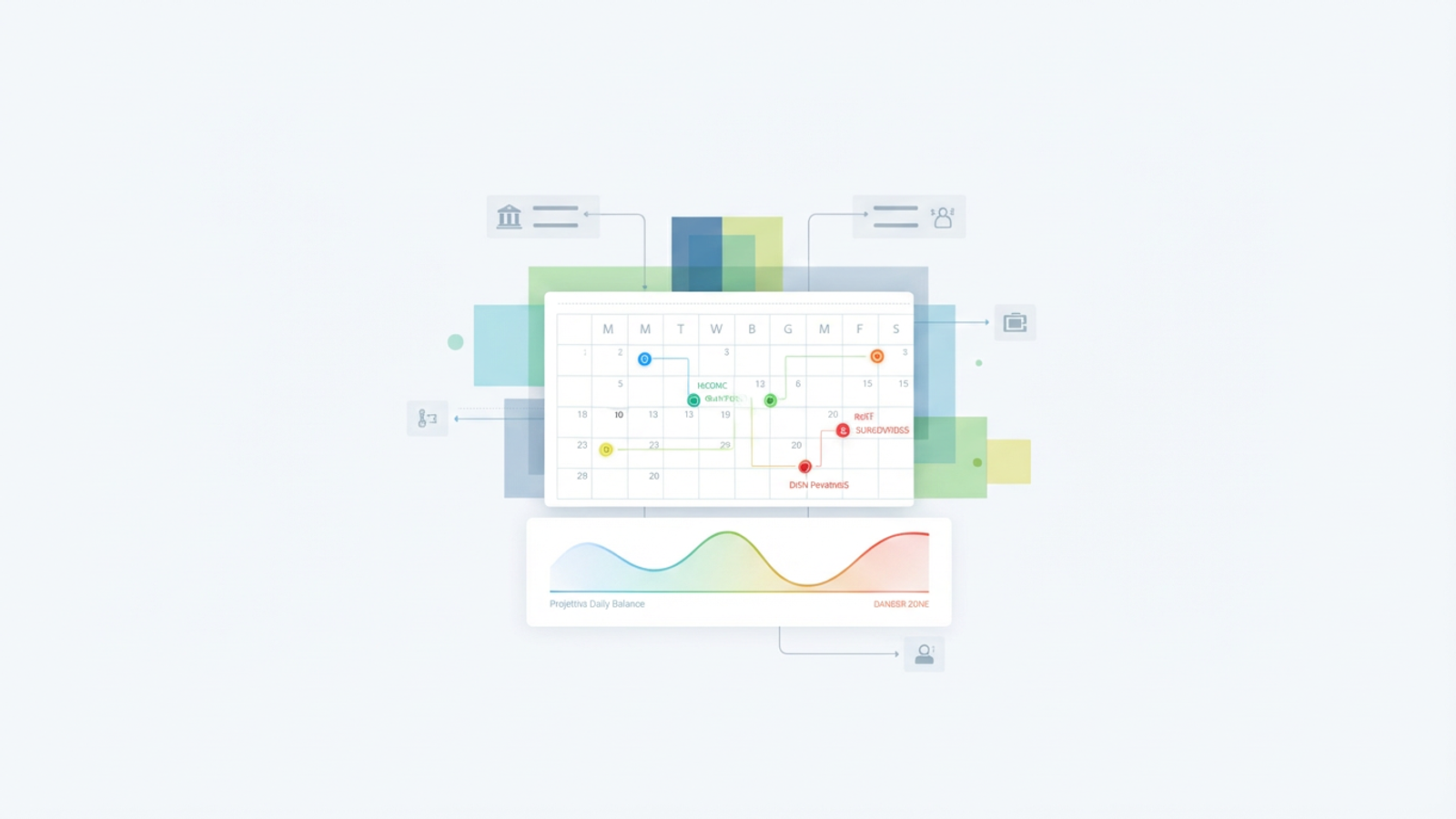
To solve this liquidity crisis, you need a personal cash flow calendar. Unlike a standard budget, this tool maps your income and expenses to specific dates on a grid, allowing you to create a cash flow forecast of your daily balance into the future. While you could try to force this view into a standard cash flow calendar app or struggle to maintain a manual cash flow calendar excel sheet, there is a better way. By using Quadratic, you can build a system that combines the automation of a fintech app with the infinite flexibility of a code-enabled spreadsheet.
Why you need a cash flow calendar (not just a budget)
Most people conflate the ideas of a budget and cash flow calendar, but they serve two very different purposes—understanding the key difference between budgeting and cash flow management is crucial. A budget is about profitability: ensuring you earn more than you spend over a month or year. A cash flow calendar is about personal liquidity: ensuring you have actual cash in the bank on the specific day a bill is due.
This distinction is critical for tactical problem solvers, but it is non-negotiable for freelancers, gig workers, and creators. If you manage irregular income, a monthly view is often insufficient, contributing to financial instability from irregular income. You might have a $5,000 invoice clearing on the 20th, but if your rent and software subscriptions are due on the 1st and 15th, you have a cash flow gap that a standard budget won't identify until it is too late.
By shifting to a calendar-based view, you move from tracking the past to forecasting the future. You stop asking, "Did I spend too much last month?" and start asking, "Will I have enough money next Tuesday?"
The "builder's gap": why apps and templates fall short
When trying to solve this problem, most people fall into the "builder's gap." They are stuck between two imperfect options: static templates or rigid applications.
A typical cash flow calendar template found online is usually just a spreadsheet with manual entry fields. It requires you to log every coffee, transfer, and bill by hand. The moment you get busy and forget to update it for a few days, the forecast breaks, and the tool becomes useless.
On the other hand, a dedicated cash flow calendar app offers automation but lacks flexibility. These apps often treat your finances as a "black box." If you have a unique transfer logic—like moving 20% of every deposit to a tax holding account—or a specific income cadence that the app doesn't support, you are out of luck.
Quadratic solves this by offering a third path. It provides an infinite canvas where you can script your own logic using Python while pulling in live data. You get the benefits of spreadsheet automation without sacrificing customizability.
Building your automated cash flow calendar in Quadratic
The power of Quadratic lies in its ability to handle complex workflows that standard spreadsheets cannot. Here is how a user can build a fully automated forecasting tool.
Step 1: Automating inflows and outflows
The first step in building a reliable system is removing manual data entry. In a standard spreadsheet, you would have to download CSV files from your bank and paste them in. In Quadratic, you can connect your bank accounts directly using integrations like Plaid to pull live transaction history.
Once the data is flowing, you can write a script to automatically perform category spend analysis. You can identify recurring charges, such as rent or streaming subscriptions, and projected income, such as salary or retainer payments. This ensures your baseline data is always current without you having to lift a finger.
Step 2: Mapping the daily grid
A list of transactions is helpful, but a visual grid is what makes the data actionable. In this step, you move away from list views and create a calendar interface. Using Python directly within the Quadratic grid, you can write logic to "place" recurring payments onto future dates based on their frequency.
For example, you can script a rule that places "Rent" on the 1st of every month and "Netflix" on the 15th, effectively using a subscription tracking tool. If a bill falls on a weekend, your script can automatically adjust it to the next business day. This allows you to visualize exactly when money is leaving your account relative to when it is coming in.
Step 3: Calculating projected daily balances
The final piece of the puzzle is the math. The logic for a personal finance forecast is straightforward: Previous Day Balance + Expected Income - Expected Bills = Projected Balance.
In Quadratic, this calculation updates dynamically. If you spend more on groceries today than you planned, the tool pulls that live transaction data and immediately recalculates your projected balance for the rest of the month. This creates a living financial forecast that adapts to your real-world spending.
Using your calendar to "time travel" your finances
Once your cash flow calendar is live, it acts as a time machine for your money. You can look weeks or months into the future to identify potential pitfalls before they happen.
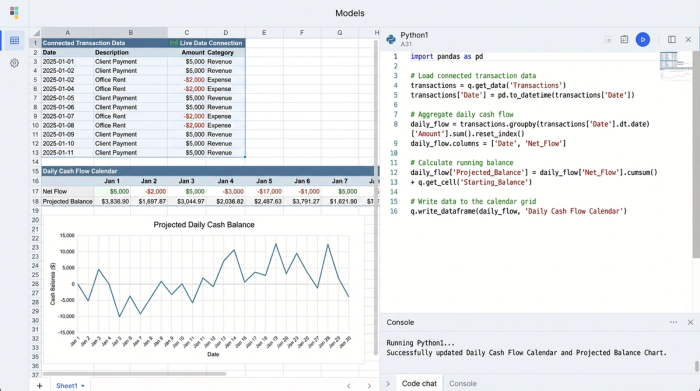
One of the most effective ways to use this tool is by applying conditional formatting to your daily balance cells. You can set a rule that turns a cell red if the projected balance dips below a safety threshold, such as $100. This visual cue highlights the "danger zone" instantly.
This visibility changes how you make tactical decisions. In Scenario A, you might see a projected overdraft occurring in five days. Because you see it now, you can delay a discretionary purchase or reschedule a bill payment to avoid the fee. In Scenario B, you might see a surplus that persists for three weeks. This gives you the confidence to transfer that excess cash into a high-yield savings account or pay down debt, knowing you won't accidentally bounce a check later in the month.
Advanced customization: going beyond Excel
For technical users, the limitations of a standard cash flow calendar excel sheet eventually become frustrating. Excel formulas struggle with complex date ranges, irregular income patterns, and live data connections.
Quadratic allows you to go much further by leveraging Python libraries like Pandas. You can write scripts to handle irregular income patterns that would break standard formulas. You can connect to APIs to pull in credit card due dates or invoice statuses automatically, ensuring your liabilities are accurate.
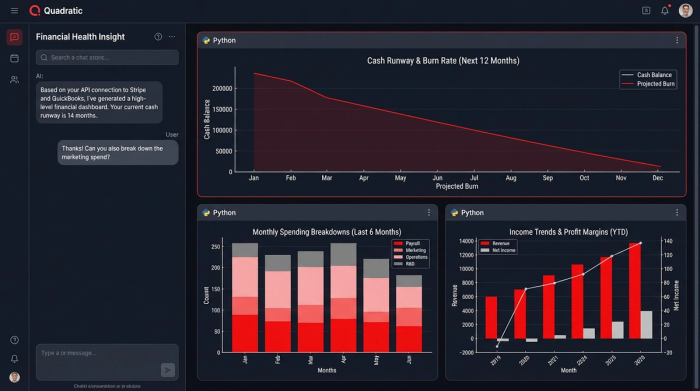
Furthermore, you can build a dashboard that looks like a purpose-built application but retains the flexibility of a spreadsheet. You can visualize your cash runway with charts that update in real-time, giving you a high-level view of your financial health alongside the granular daily details.
Conclusion
A functioning cash flow calendar provides something that money alone cannot: peace of mind, contributing significantly to your overall financial well-being. It makes the invisible timing of your money visible, allowing you to navigate your paychecks with a paycheck budget planner, gaining confidence rather than anxiety.
You do not need to settle for a static template that requires constant maintenance or a rigid app that dictates how you view your own money. By using Quadratic, you can build a custom automated budget that fits your life perfectly. Stop guessing about your future balance and start building your solution today.
Use Quadratic to build an automated cash flow calendar
- Automate income and expense tracking by connecting directly to bank accounts, eliminating manual data entry.
- Script custom logic in Python to map recurring payments, handle irregular income, and dynamically adjust for specific financial rules.
- Visualize projected daily balances on a calendar grid, actively forecasting your liquidity weeks or months ahead.
- Identify potential overdrafts or surpluses with conditional formatting, allowing you to make proactive financial decisions.
- Build a flexible, real-time financial forecast that adapts to your actual spending without the limitations of static spreadsheets or rigid apps.
Start forecasting your finances with confidence. Try Quadratic
